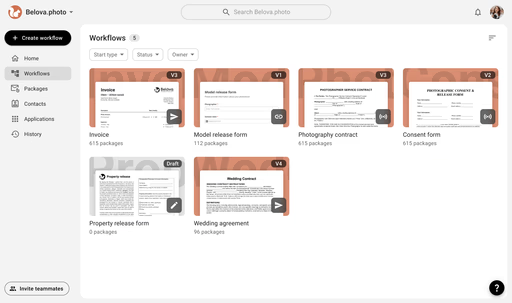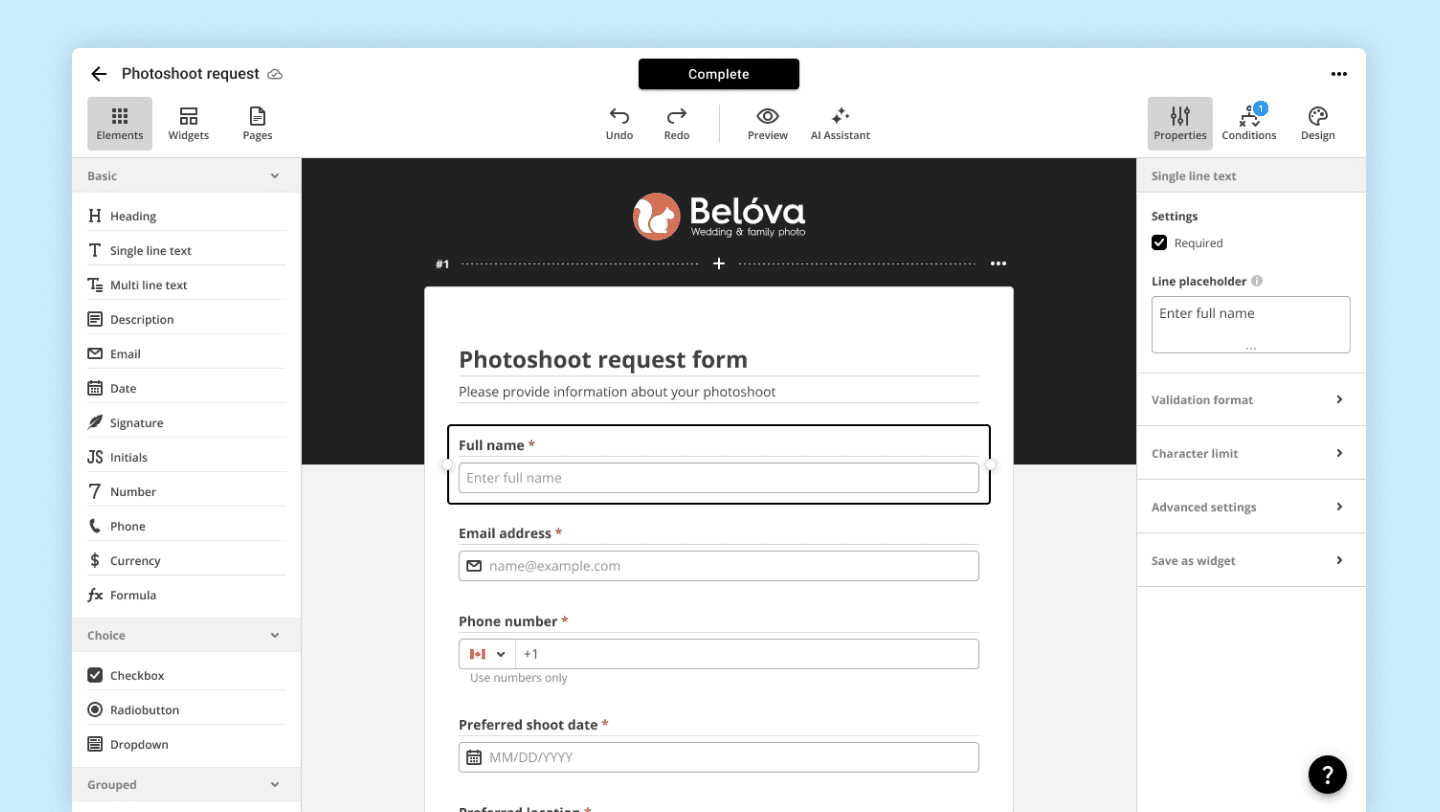
Web Forms are one of the most popular document types available in airSlate Workflow. They offer the quickest and most convenient way to create surveys or any other information collection forms.
Competing with solutions like Typeform, Google Forms, and Jotform, Web Forms from airSlate provide incredible flexibility and scalability. Additionally, by operating within the airSlate Workflow ecosystem, they enable pre-filling and data export to and from numerous CRM systems, such as Salesforce, Dynamics 365, and more.
I built the editor from scratch. Today Web Forms are part of 54% of all workflows created in airSlate.
Elements
Elements are the building blocks of Web Forms. The wide variety of element types and the extensive customization options allow users to create forms tailored to their specific needs, including sophisticated configurations that are not available with our competitors.
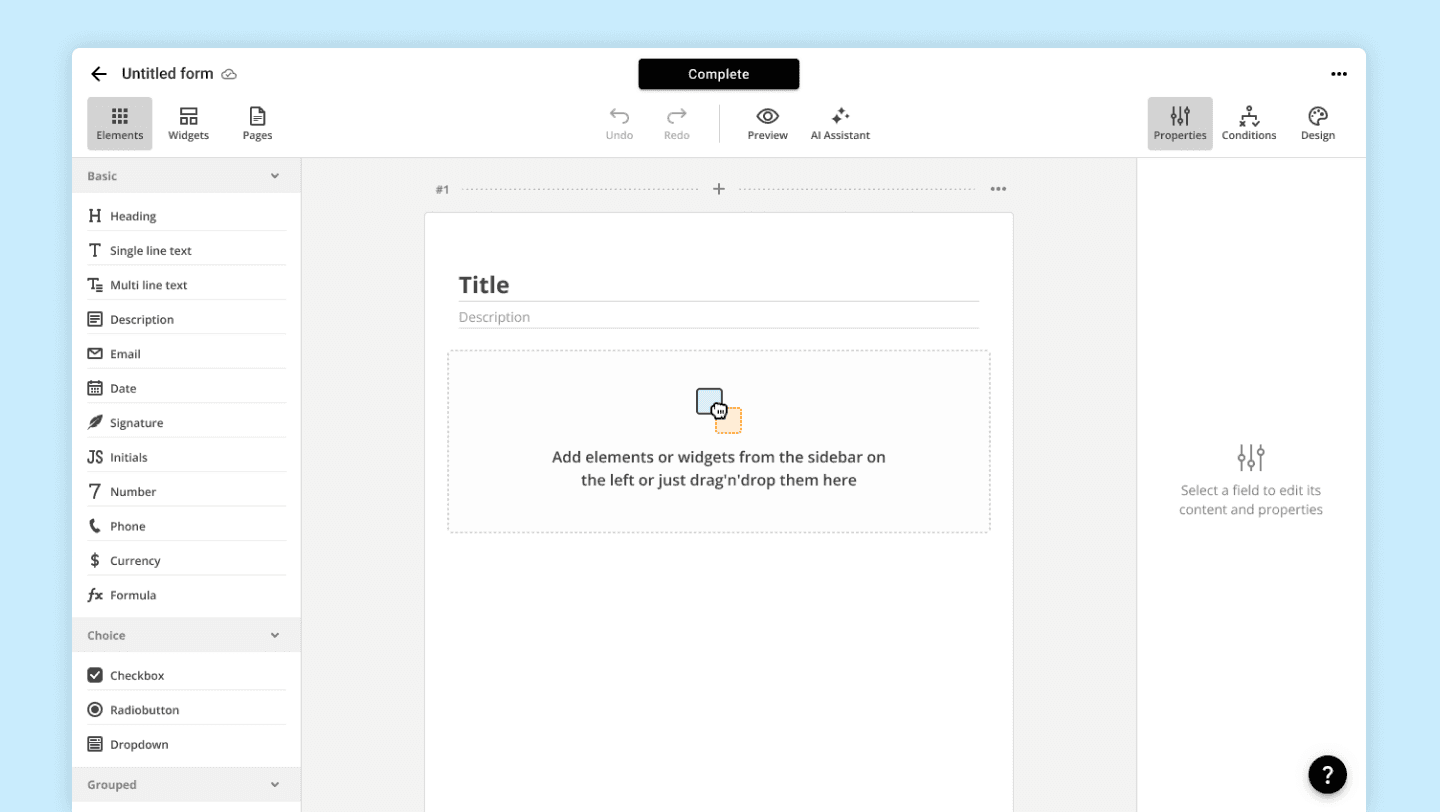
Empty state 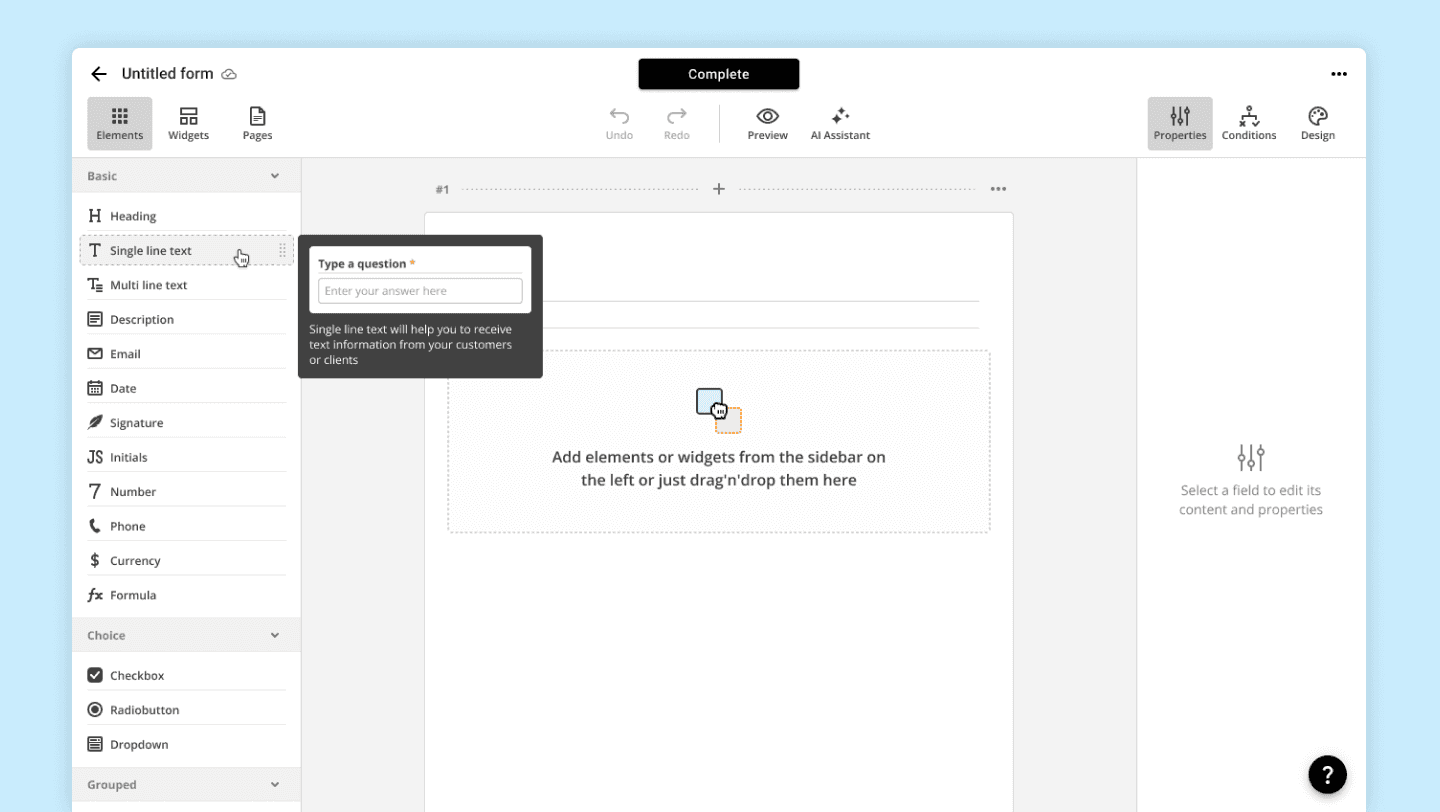
Adding the 'Single-line text' element 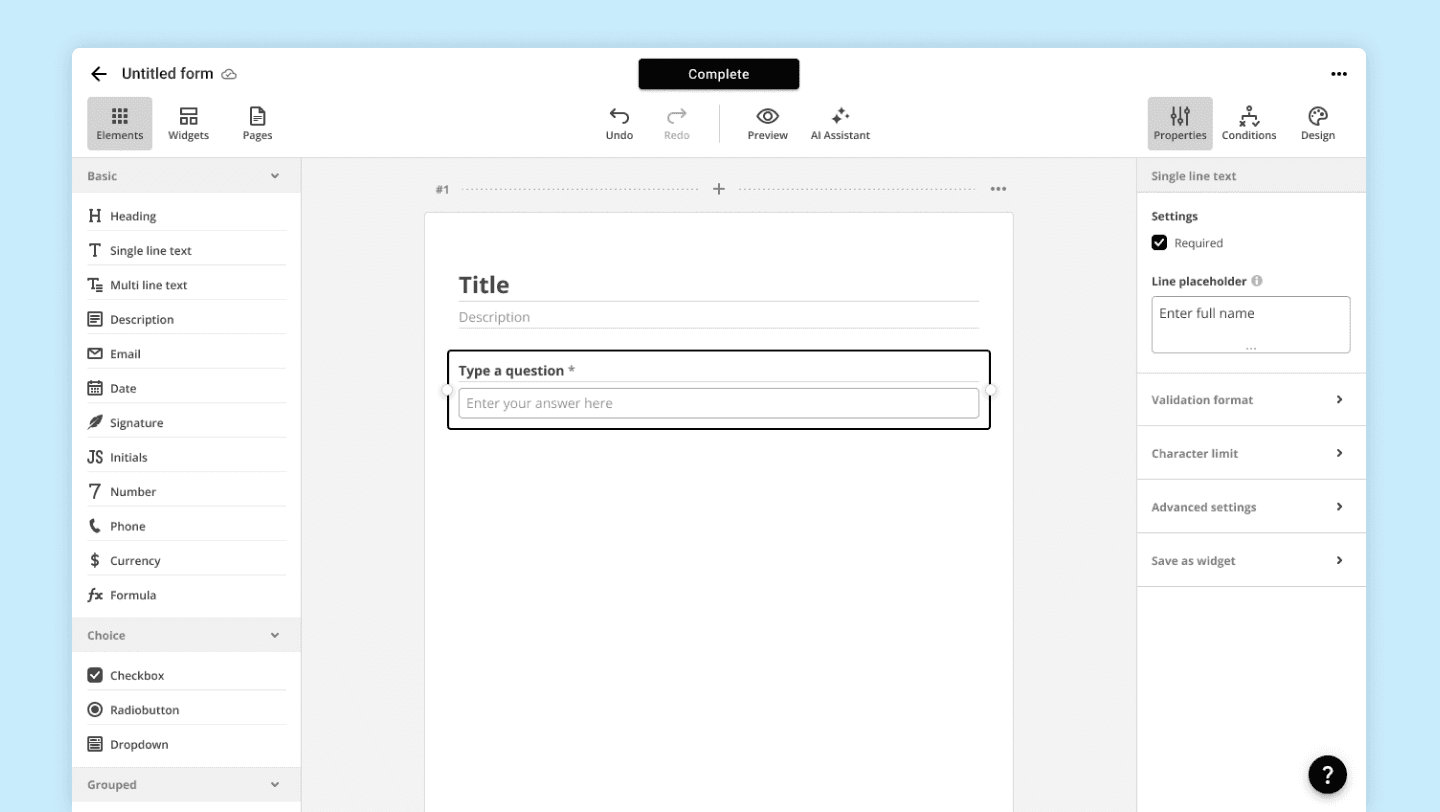
Element properties
Conditions
Once we have created the necessary form from a wide library of elements, let's move on to another highly demanded and beloved feature - conditions.
The ability to hide or show elements, enable or disable them, make them mandatory or optional based on the values of other elements, is a key functionality that makes users choose us over our competitors.
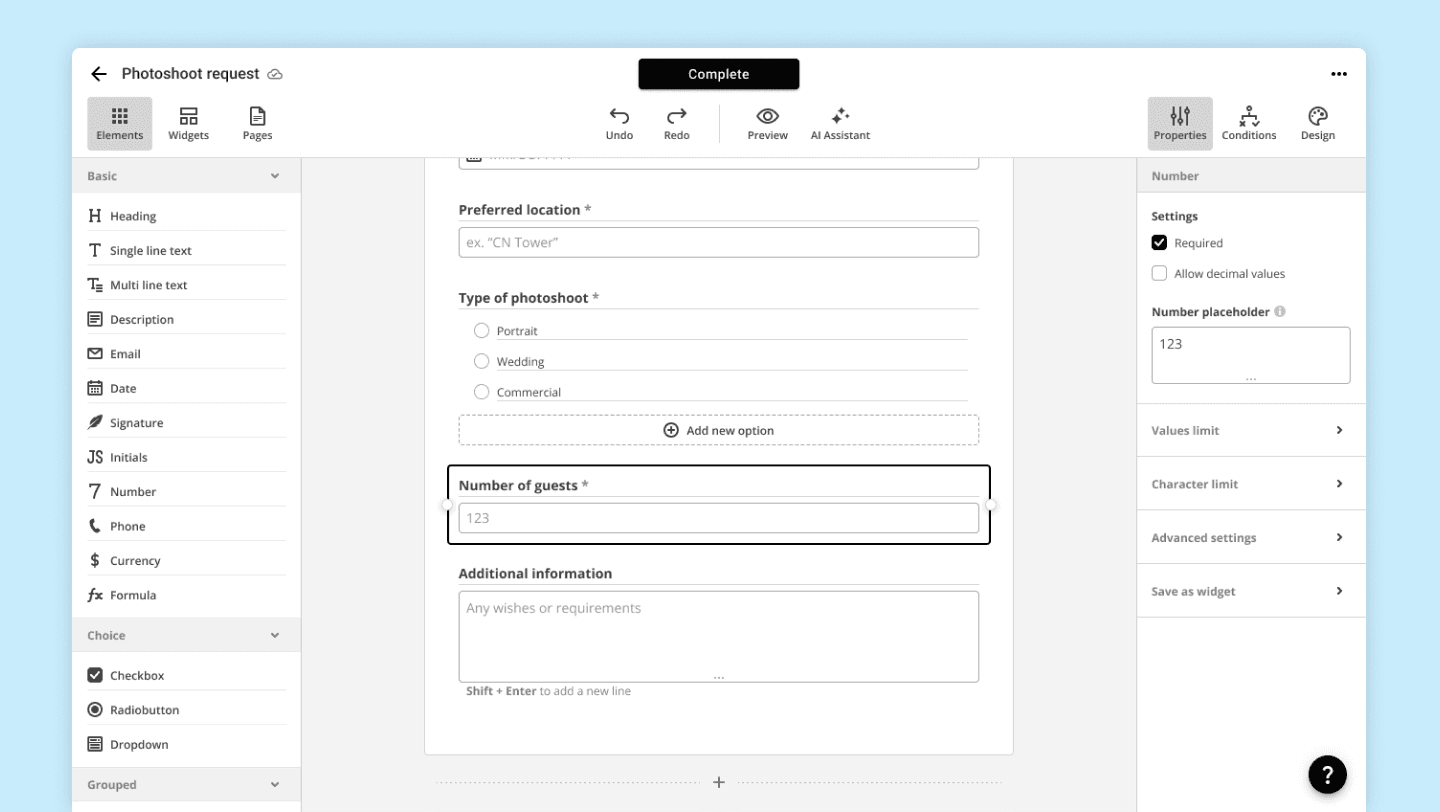
Fully configured form 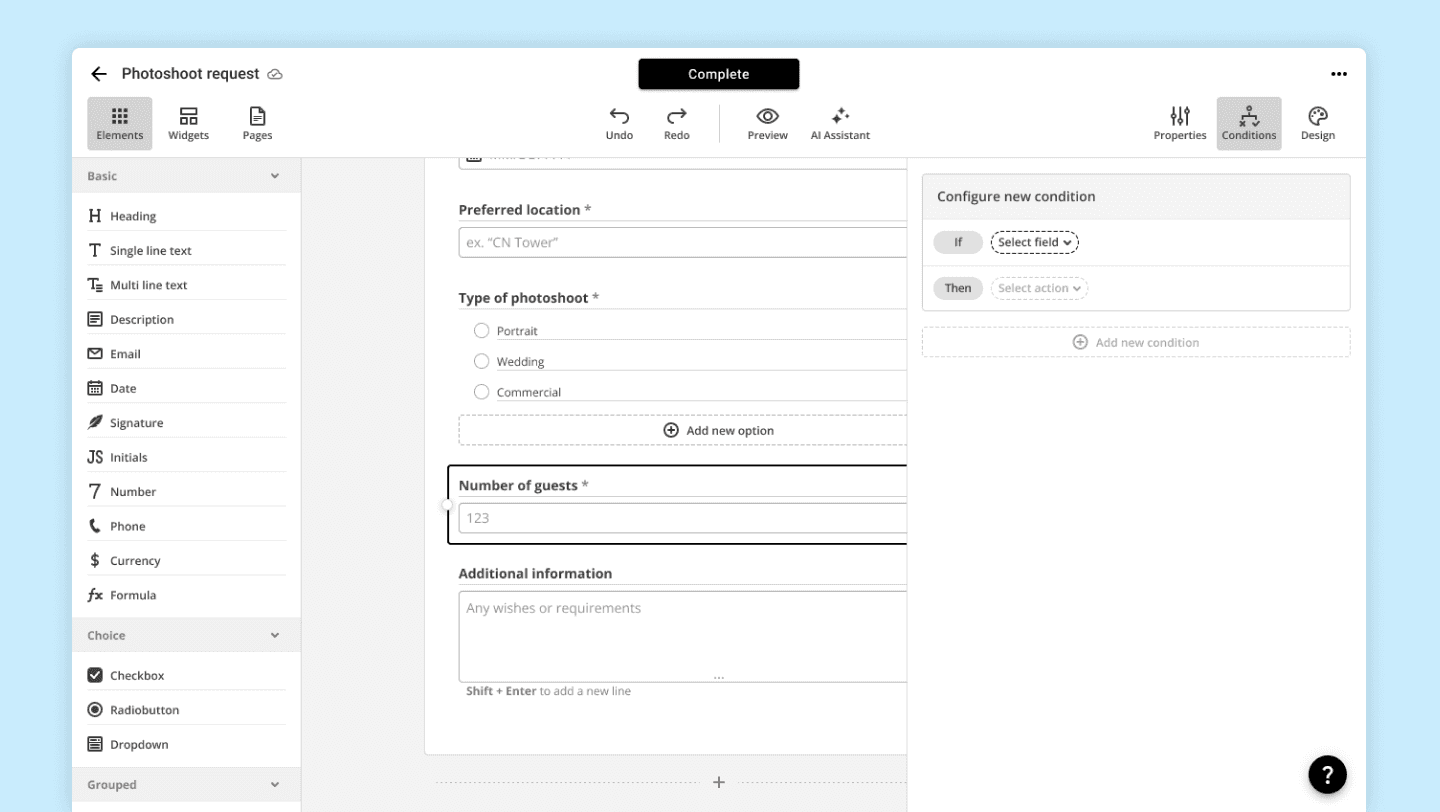
Conditions empty state 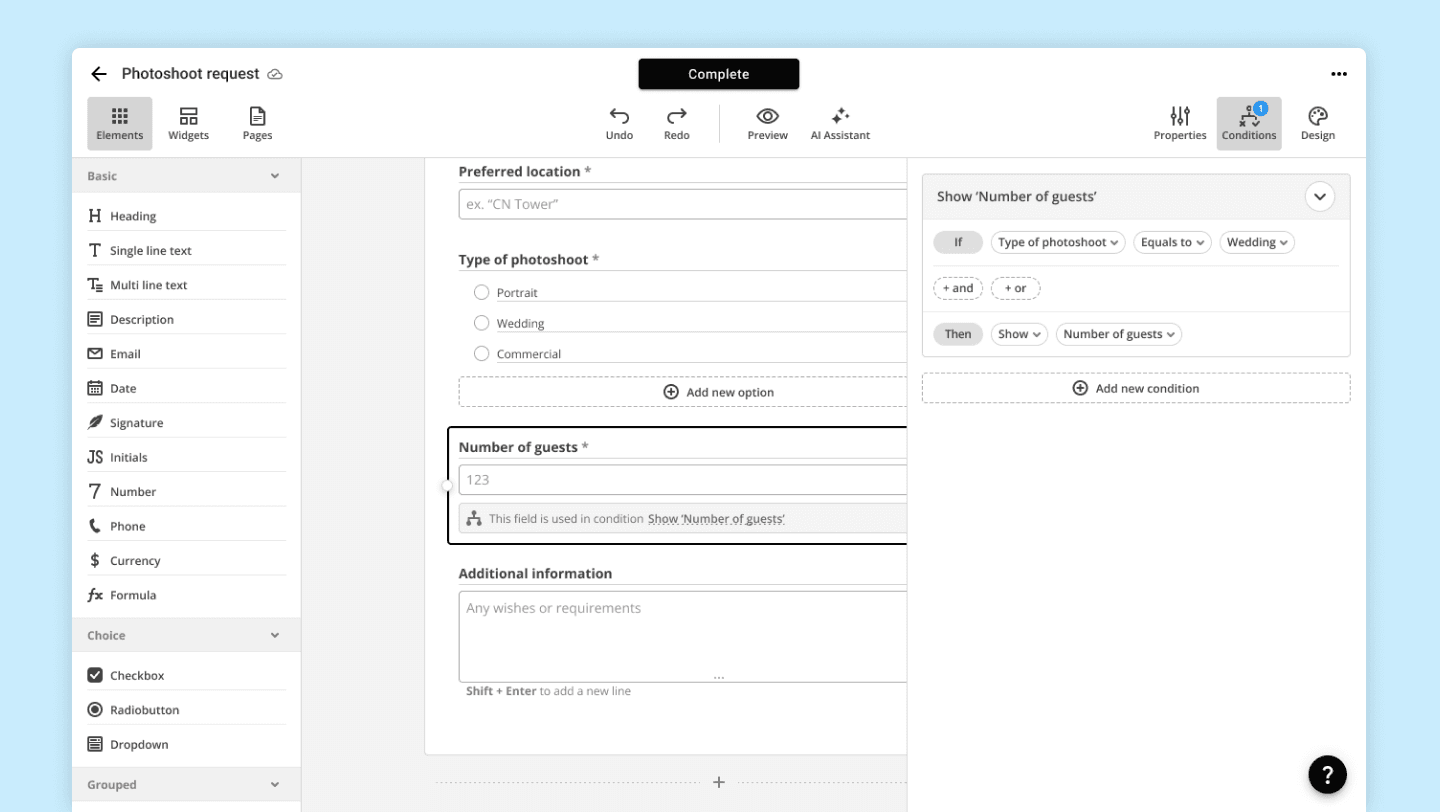
Configured condition
Design
Most often, our users embed forms on their websites or send them to their clients via a link for completion. In both cases, the ability to customize the form's appearance and wrap it in branded design is an essential feature of most forms in airSlate Workflow.
That’s why Web Forms offer a wide range of appearance settings, such as font, logo, background color, and more.
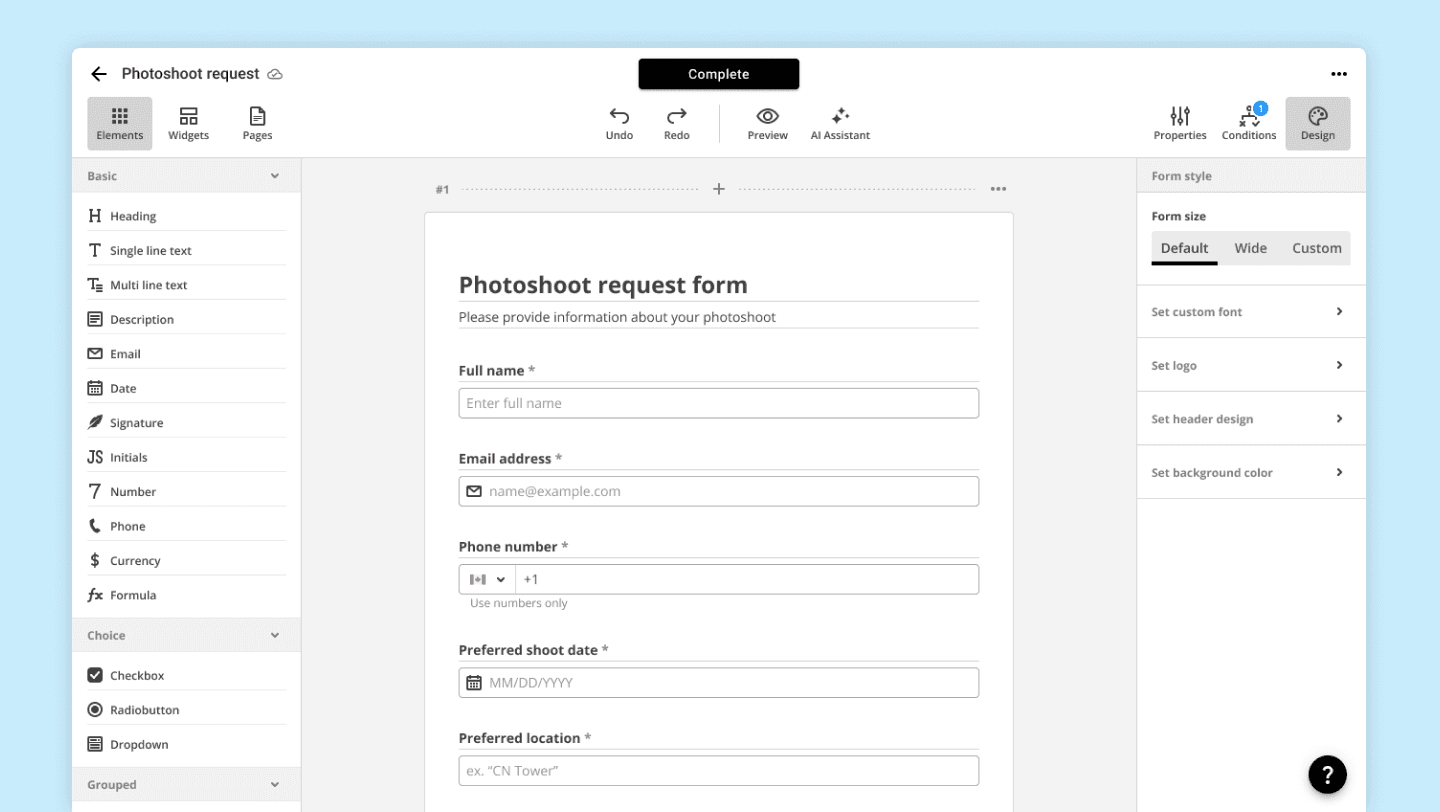
Design empty state 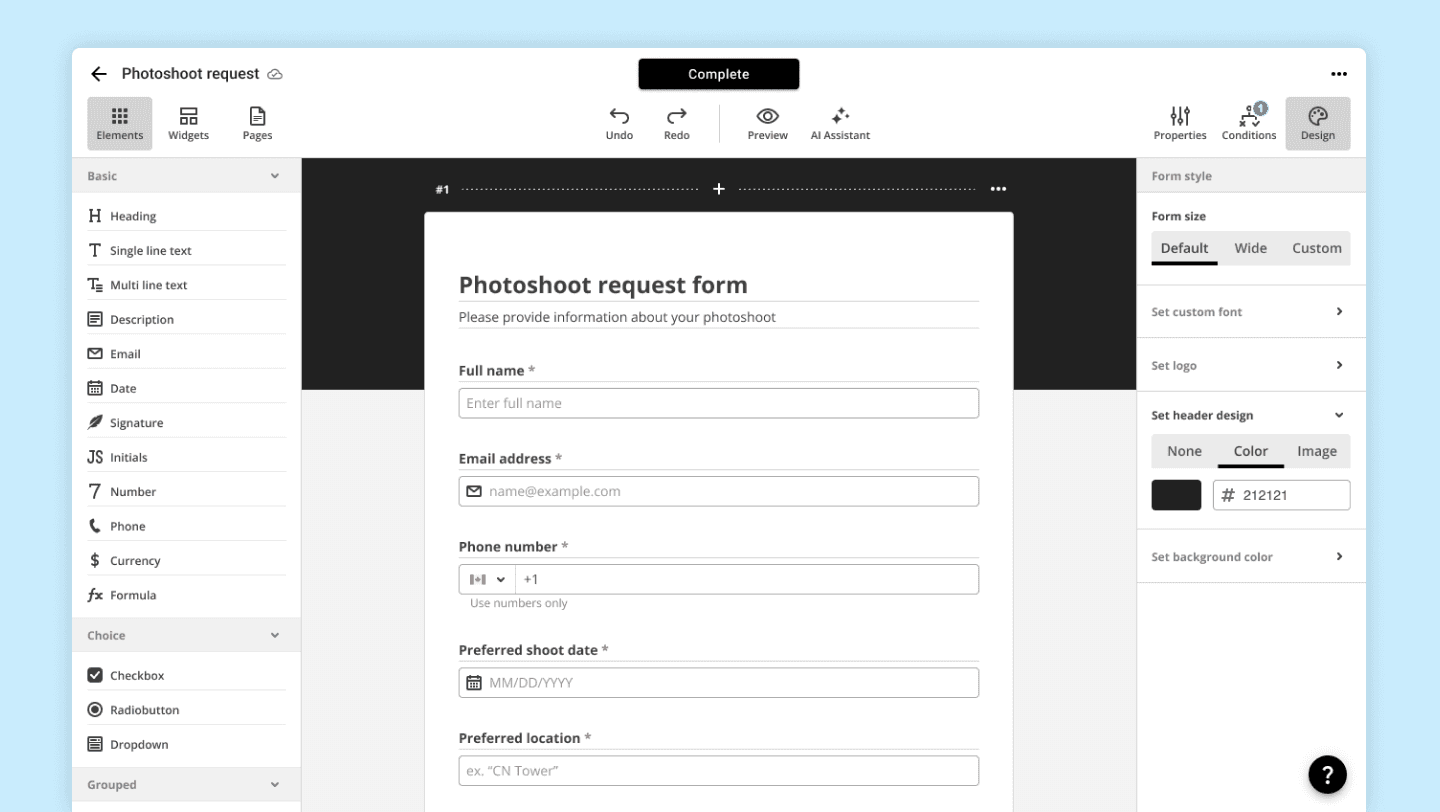
Header colour added 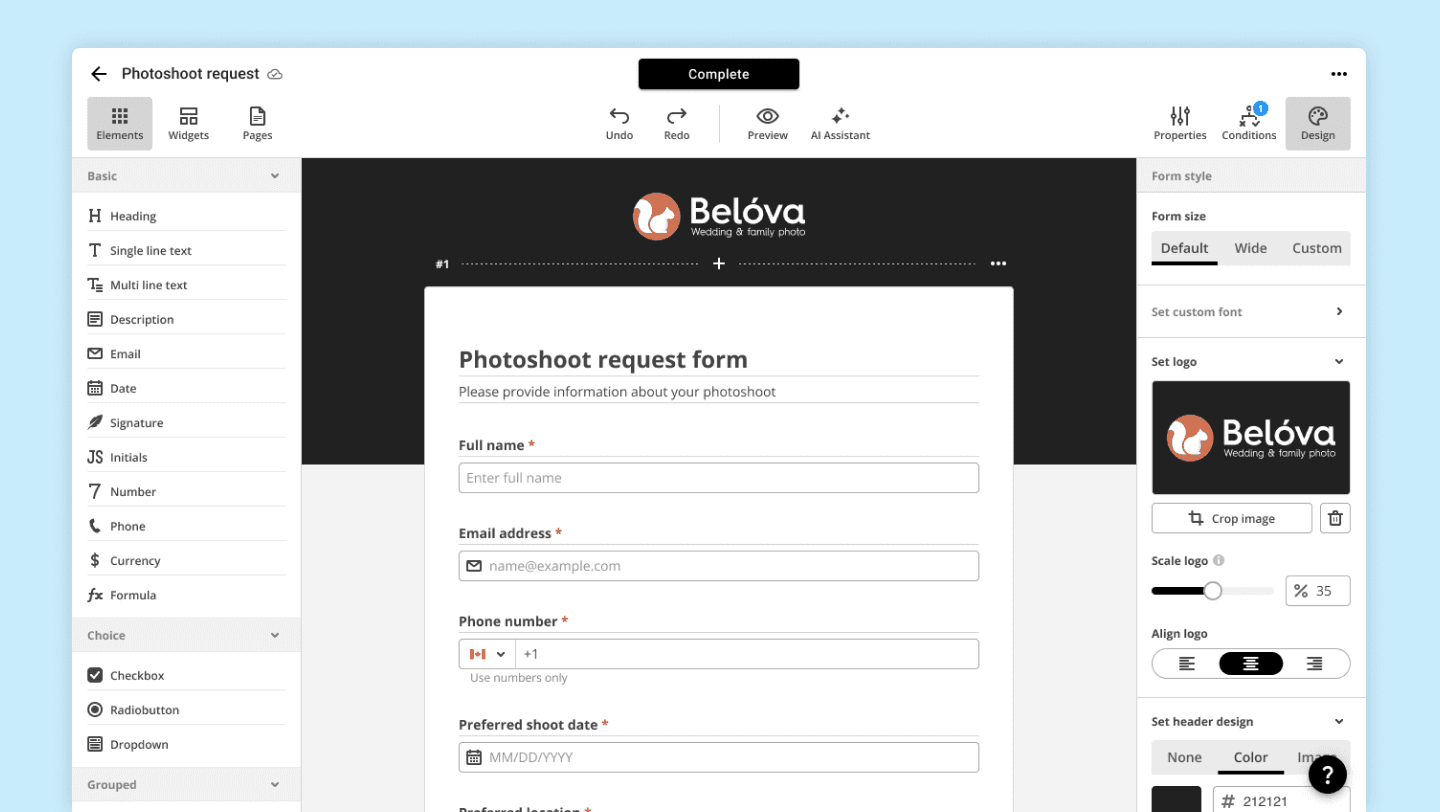
Logotype added
Preview
Last but not least, after successfully creating and customizing the form, the next logical step for our users is to view it from the perspective of the respondent.
The preview mode is designed precisely for this purpose. Checking the functionality of conditions, evaluating the design, and seeing how it behaves on different platforms (computer, tablet, phone) are just some of the features available in this mode.
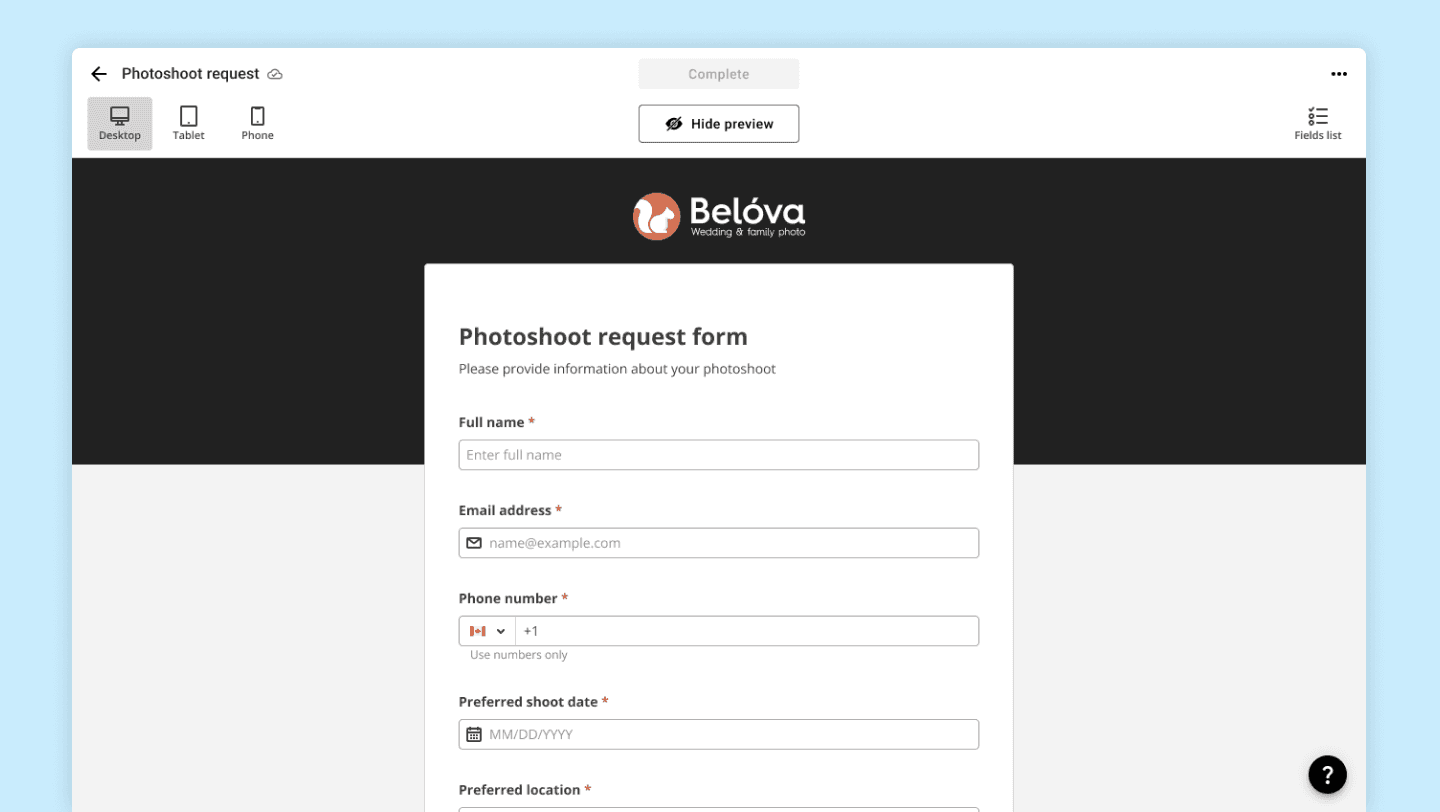
Preview mode 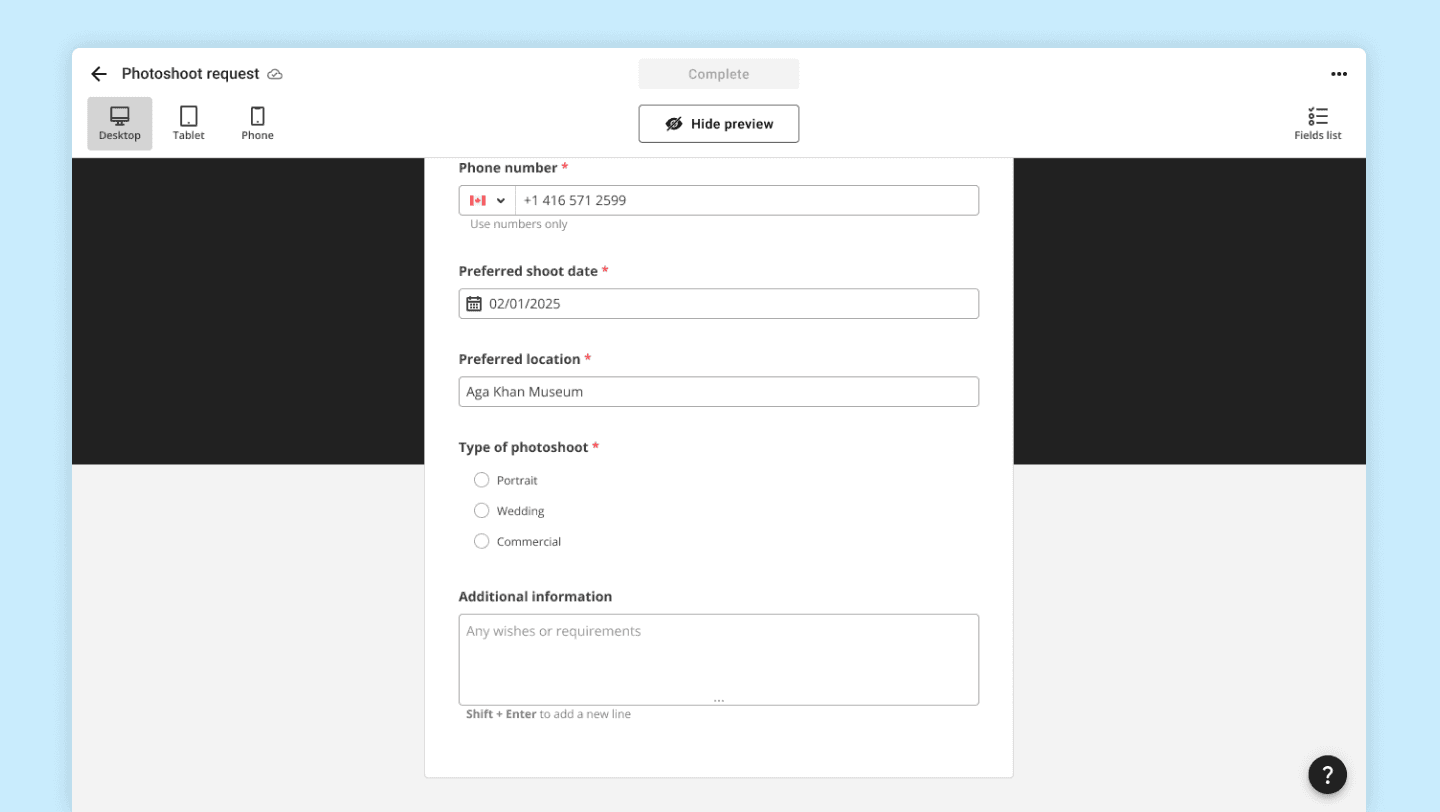
Filling out form fields 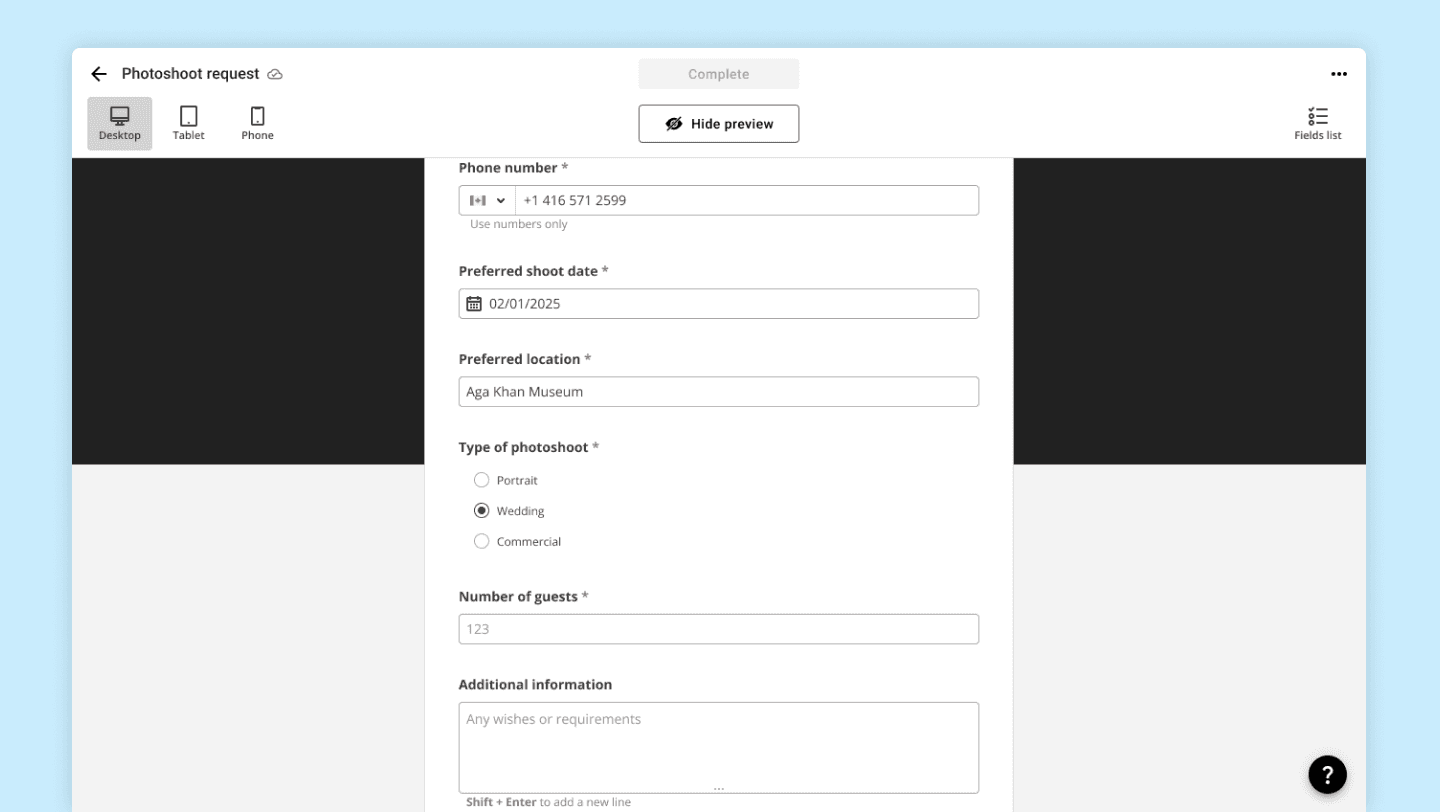
Condition test
Conclusion
Web Forms are a multifunctional and flexible document type in airSlate Workflow. In this article, I have shown only a small portion of the available features.
Widgets, for example, enable the creation of payment forms that can process payments through Stripe or Adyen.
Need to authorize users to prevent unauthorized access to information? airSlate Web Forms can do this and much more.
Have questions? Contact me using the information below.