AI Scribe listens to a pharmacist’s consult and fills in the clinical form as the conversation goes. MedMe Health is the platform thousands of pharmacies use to run their services, and every service ends in a form: a MedsCheck, a medication review, a vaccination. The scribe is there so the pharmacist can look at the patient instead of the screen.
A good analogy: a colleague who takes notes during the appointment and hands you the form already filled in, with the parts they heard marked so you know what to check.
Where we started
The first version shipped as a beta inside the form dialog. A dark scribe widget sat above the questionnaire list with a timer and a Pause button. The header held “Populate fields”, a dropdown with “Populate all questionnaires”, a language switcher, and a link that swapped the form for the transcript.
It worked, and it did not scale. Every new request landed in the same header. The widget and the form competed for attention, and the pharmacist had to decide when to populate, what to populate, and where the transcript went. The most common question in feedback was what the scribe was doing right now. There was no room for what came next: editing the transcript, switching microphones, importing patient data.
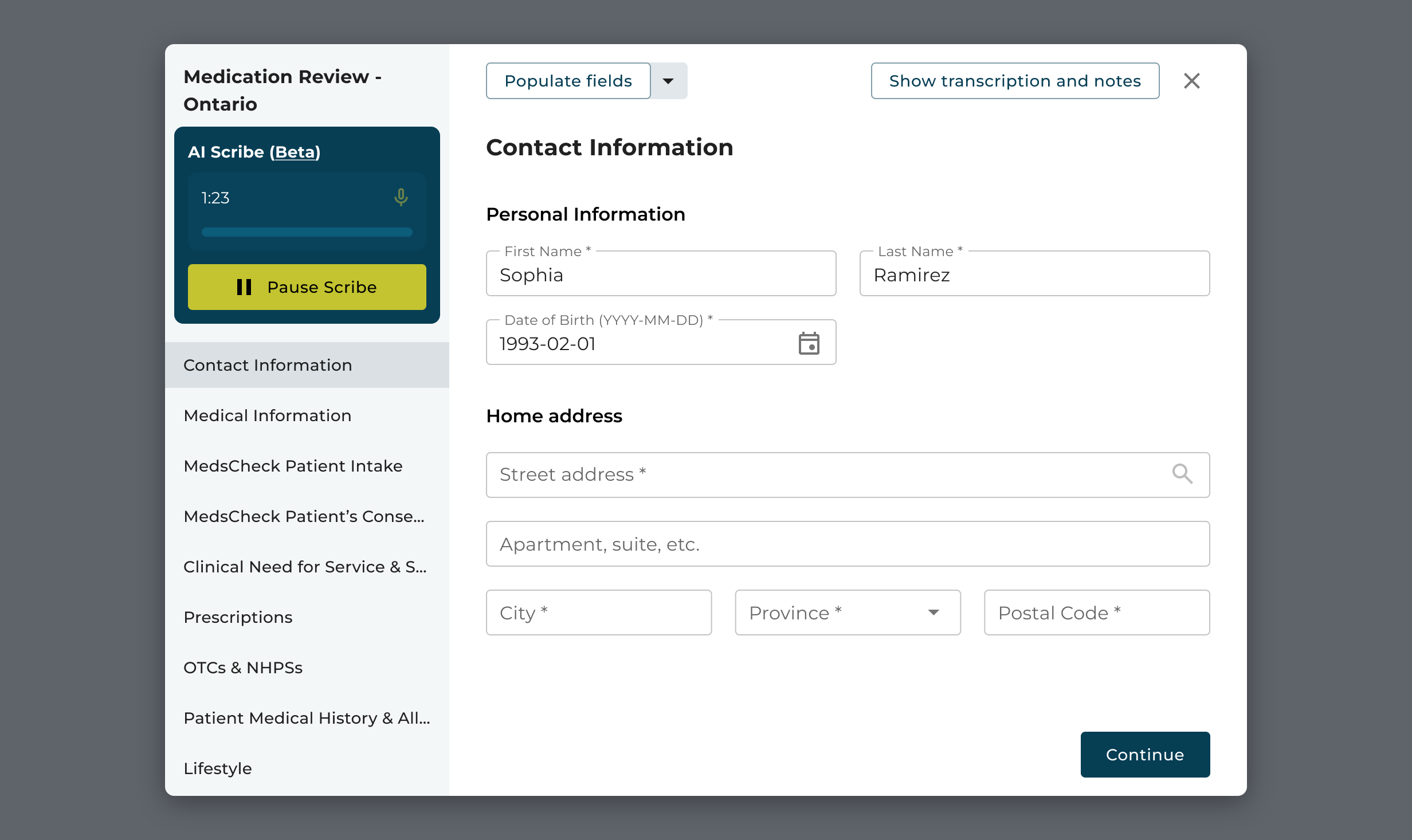
Beta scribe: the widget, the timer, and “Populate fields” in the header 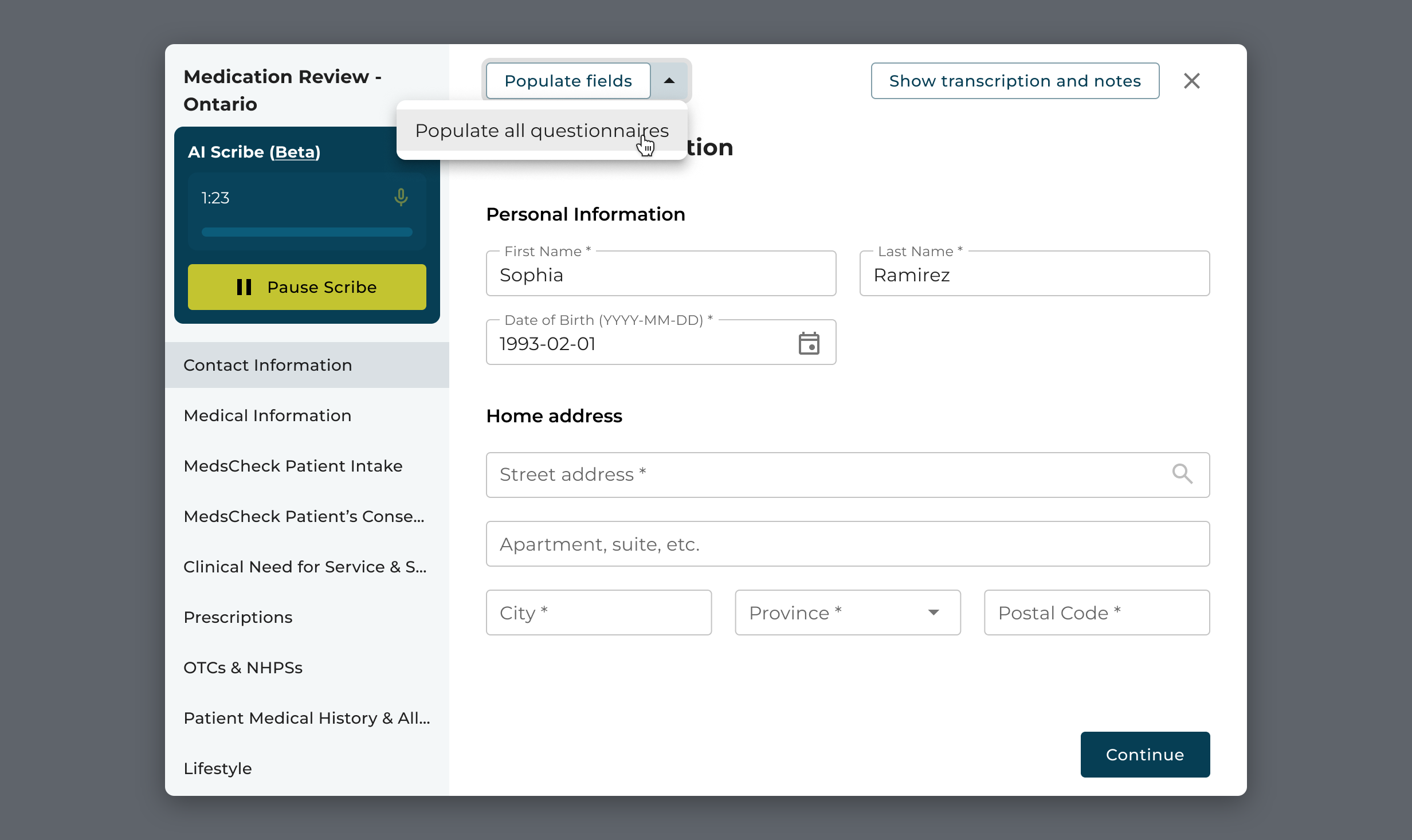
Every capability became another header control: “Populate all questionnaires” 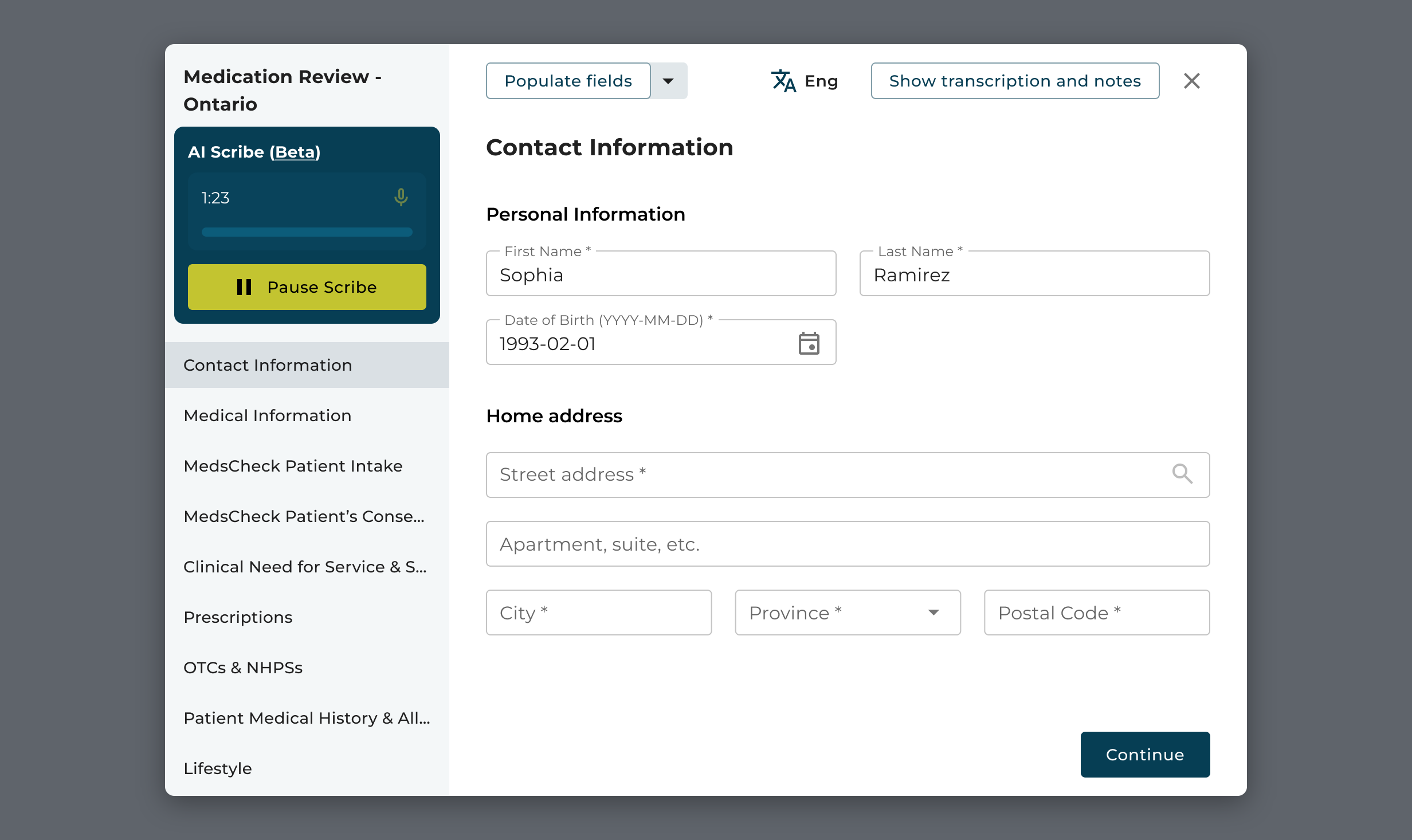
The language switcher squeezed in next to the transcript link
One screen, one control per job
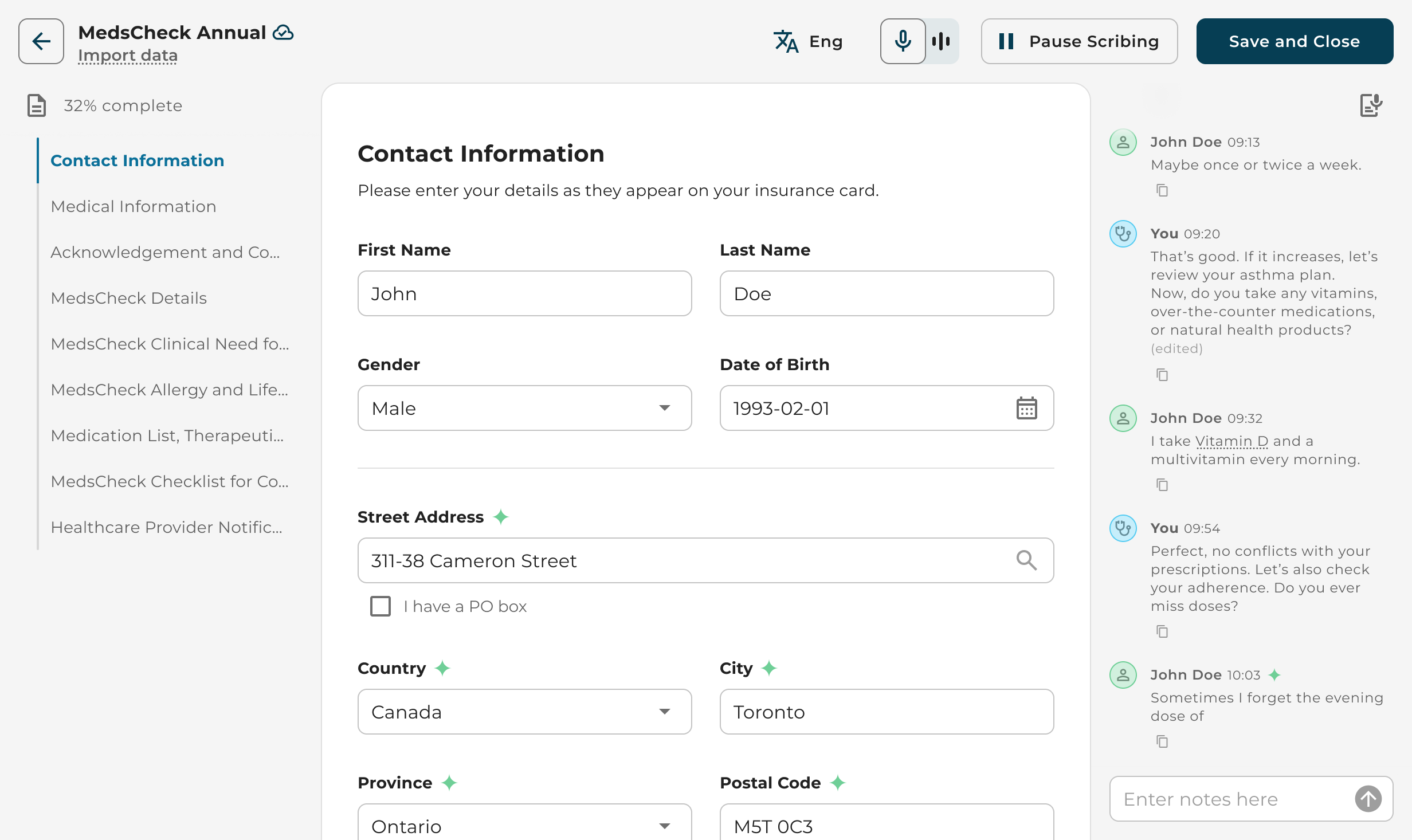
The redesign gives the form the whole screen. Questionnaire sections sit on the left with a completion count. The form is in the centre. The transcript and notes live in a panel on the right, so the pharmacist sees what the scribe heard next to the field it filled. Each control in the header has one job: language, microphone, Start or Pause Scribing, Save and Close.
Scribing became a mode of the form rather than a separate tool. Fields the scribe fills get a green mark, and filling happens as the conversation goes, so there is nothing to trigger and nothing to guess. Both side panels fold away when the pharmacist wants only the form.
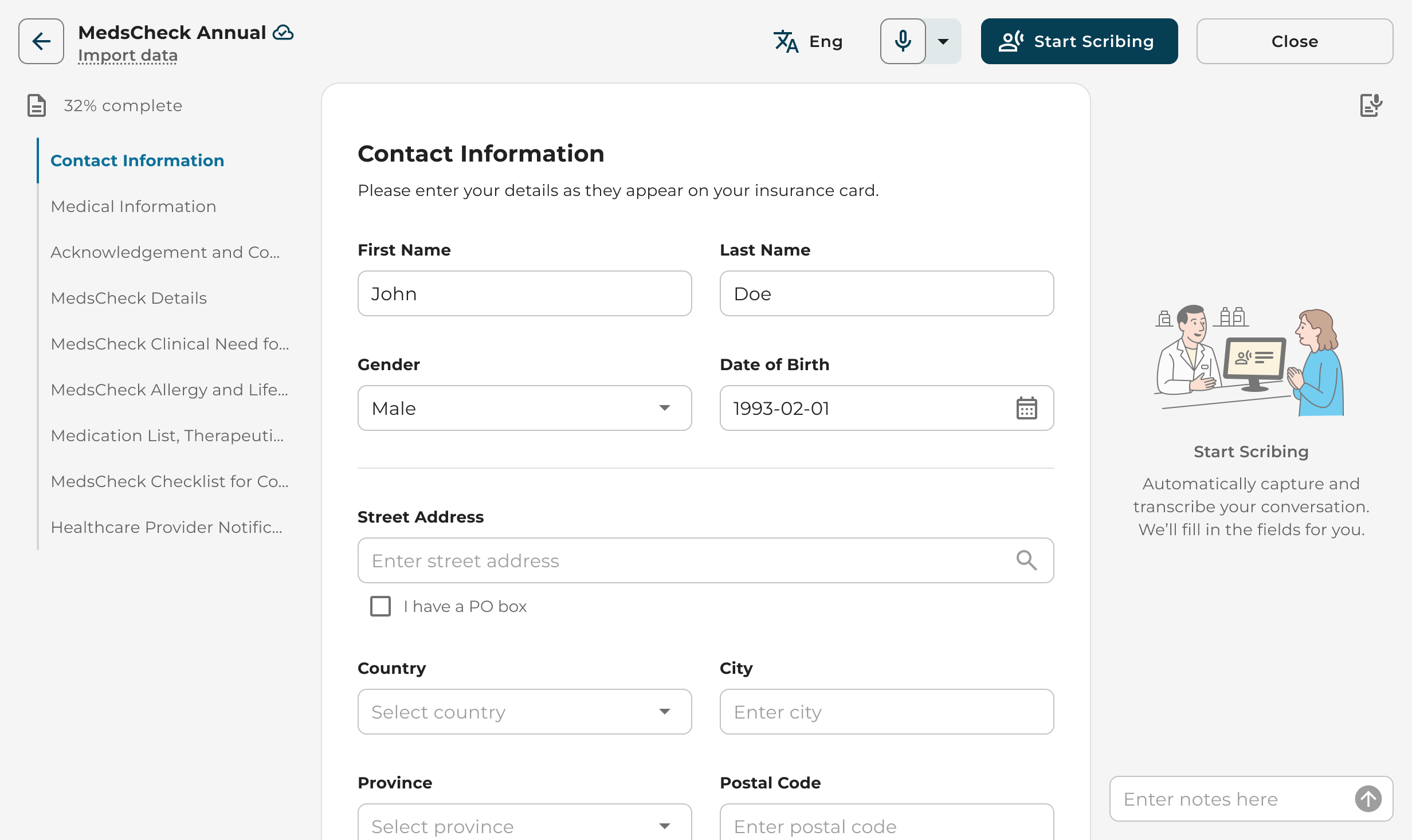
Before the consult: one button to start, and a note on what will happen 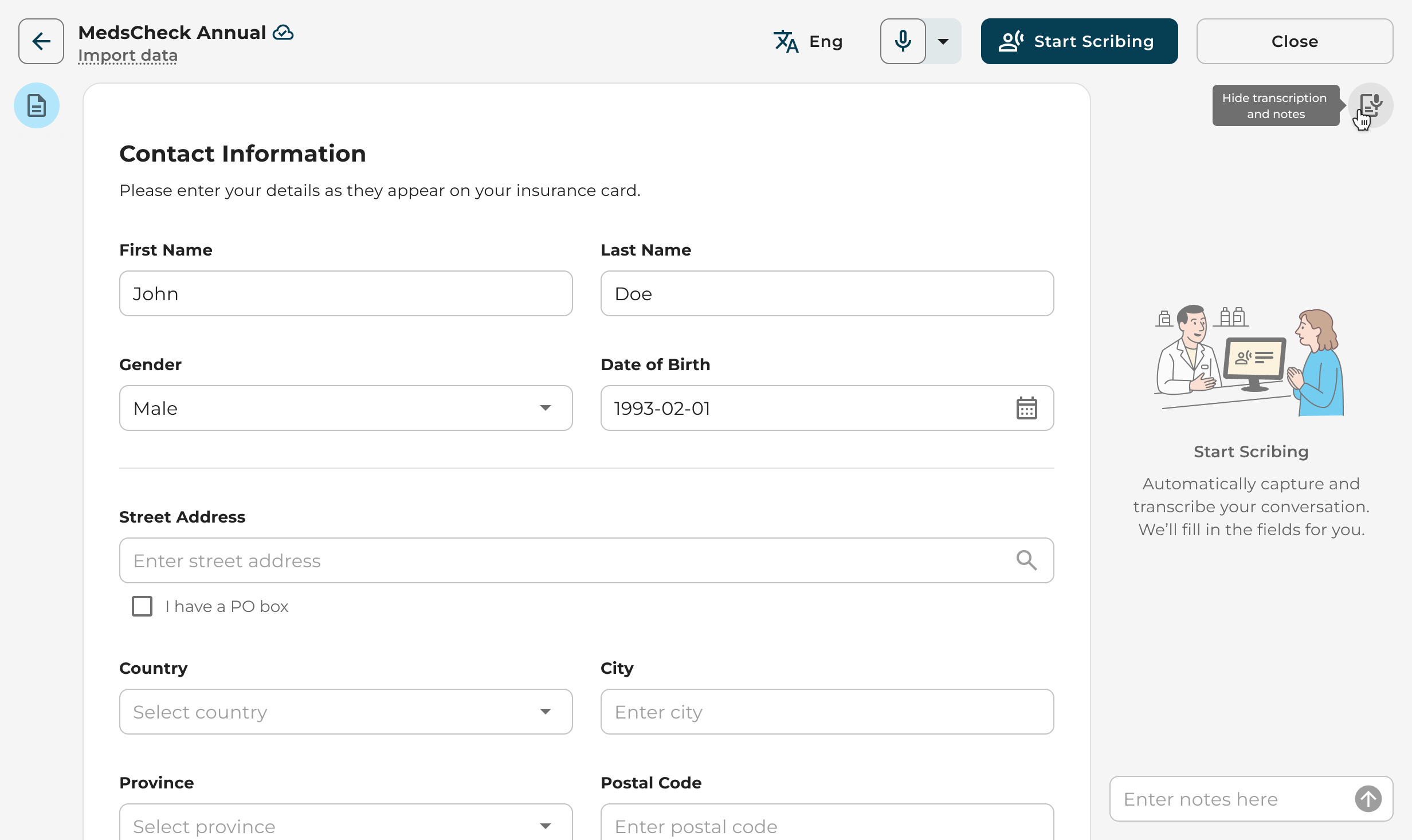
The transcript panel folds away 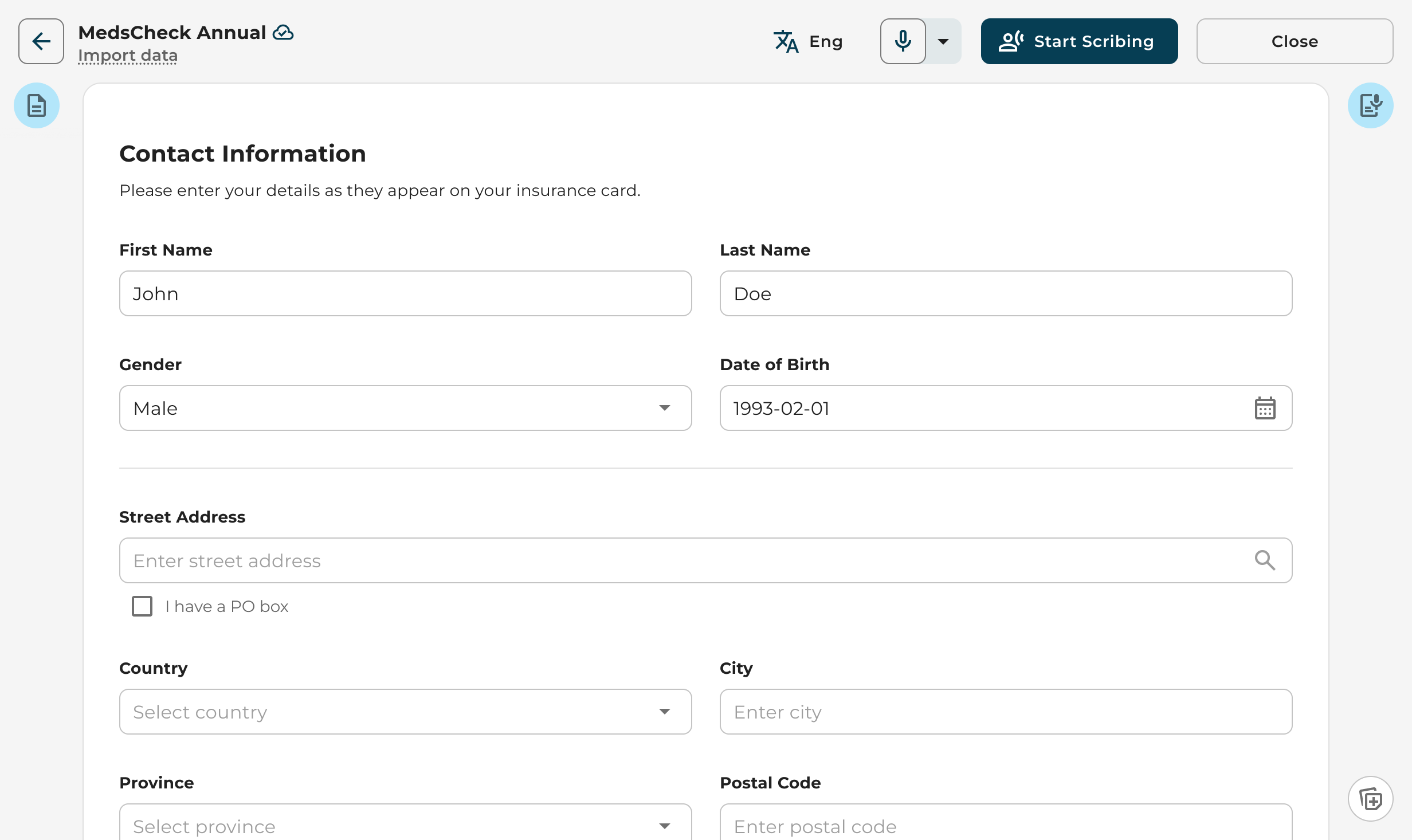
Both panels folded: the form takes the full width
Starting from the calendar
Pharmacists live in the calendar, so the scribe starts there. Quick Actions in the navigation opens a session for a walk-in. An appointment card carries a Start AI Scribe button that opens the right form with the patient already attached, and the transcript begins on the first sentence.
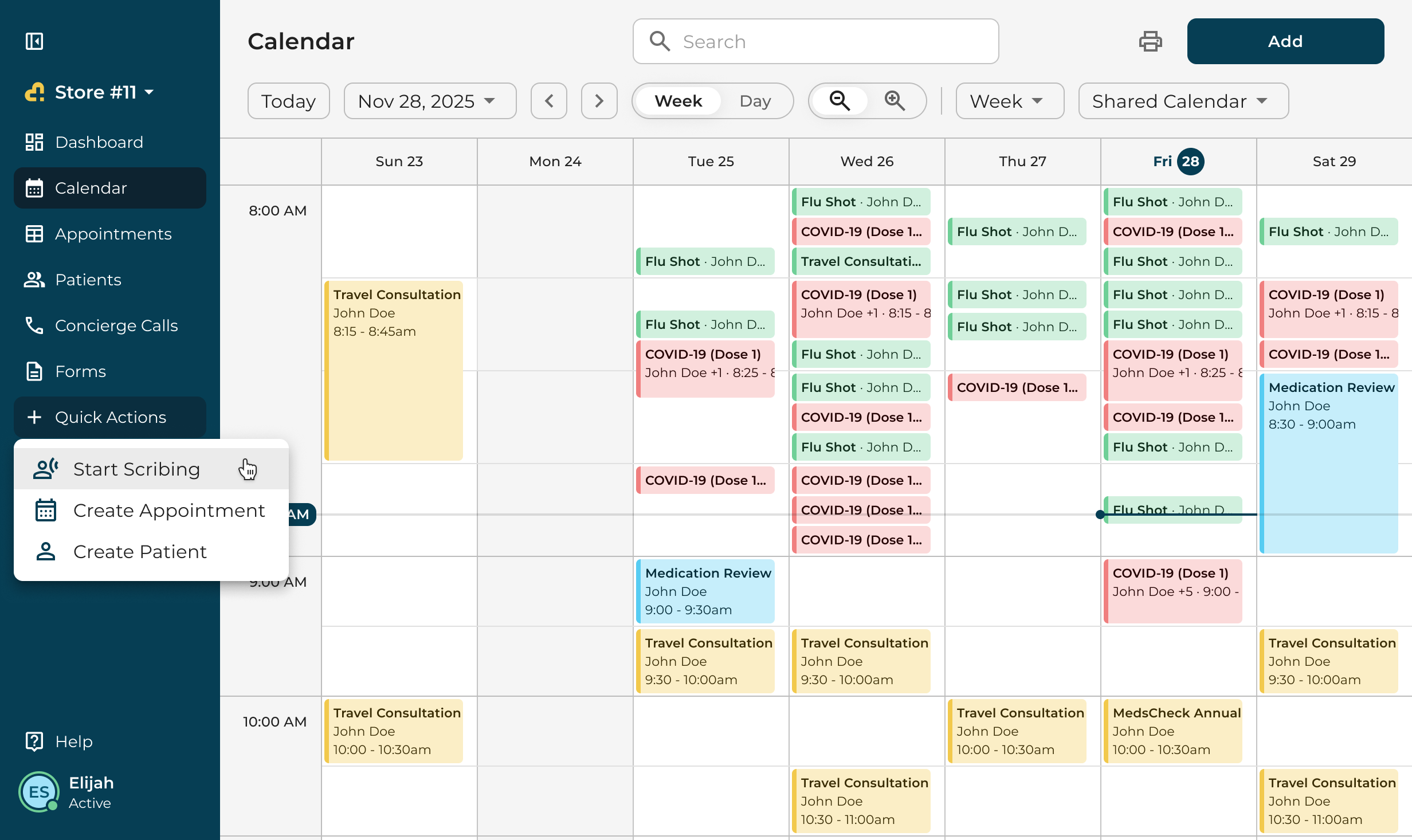
Quick Actions: Start Scribing, Create Appointment, Create Patient 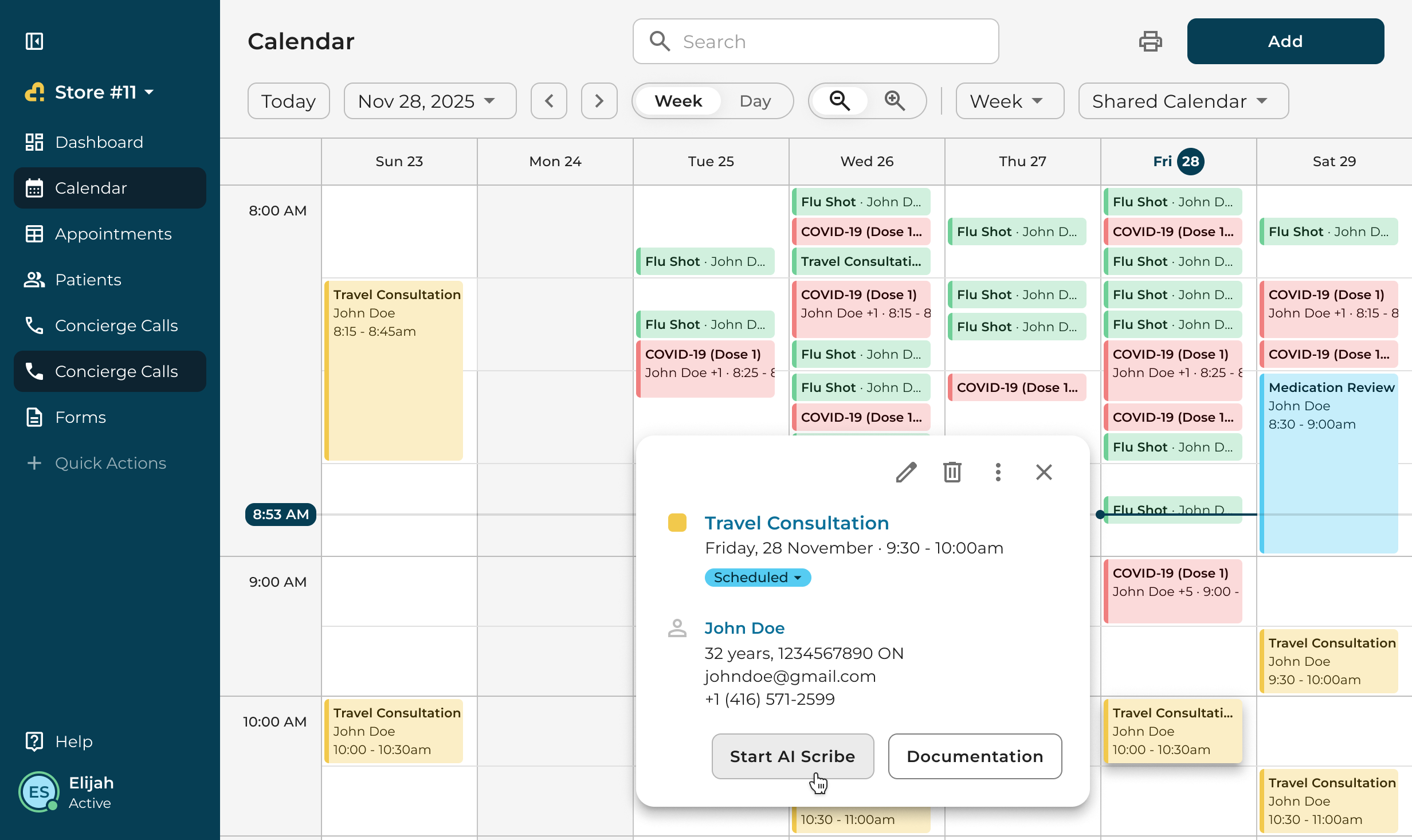
An appointment card with Start AI Scribe 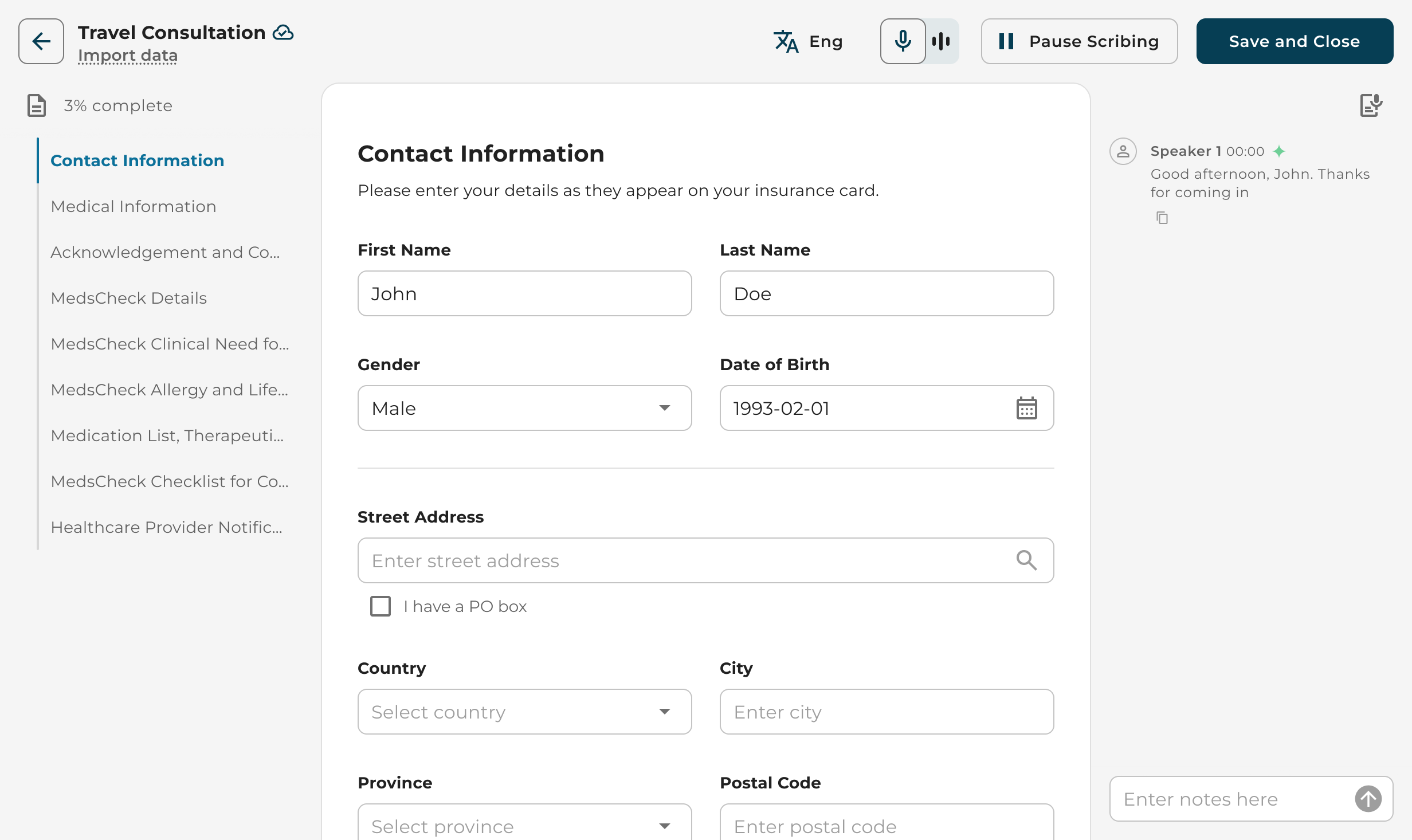
The session opens with the patient linked and the transcript running
Transcript and notes
The transcript is editable. Hover a line to fix a name or a dose, save, and the fields that came from that line update. Notes typed during the consult go into the same stream, so the pharmacist keeps one record of the visit rather than two.
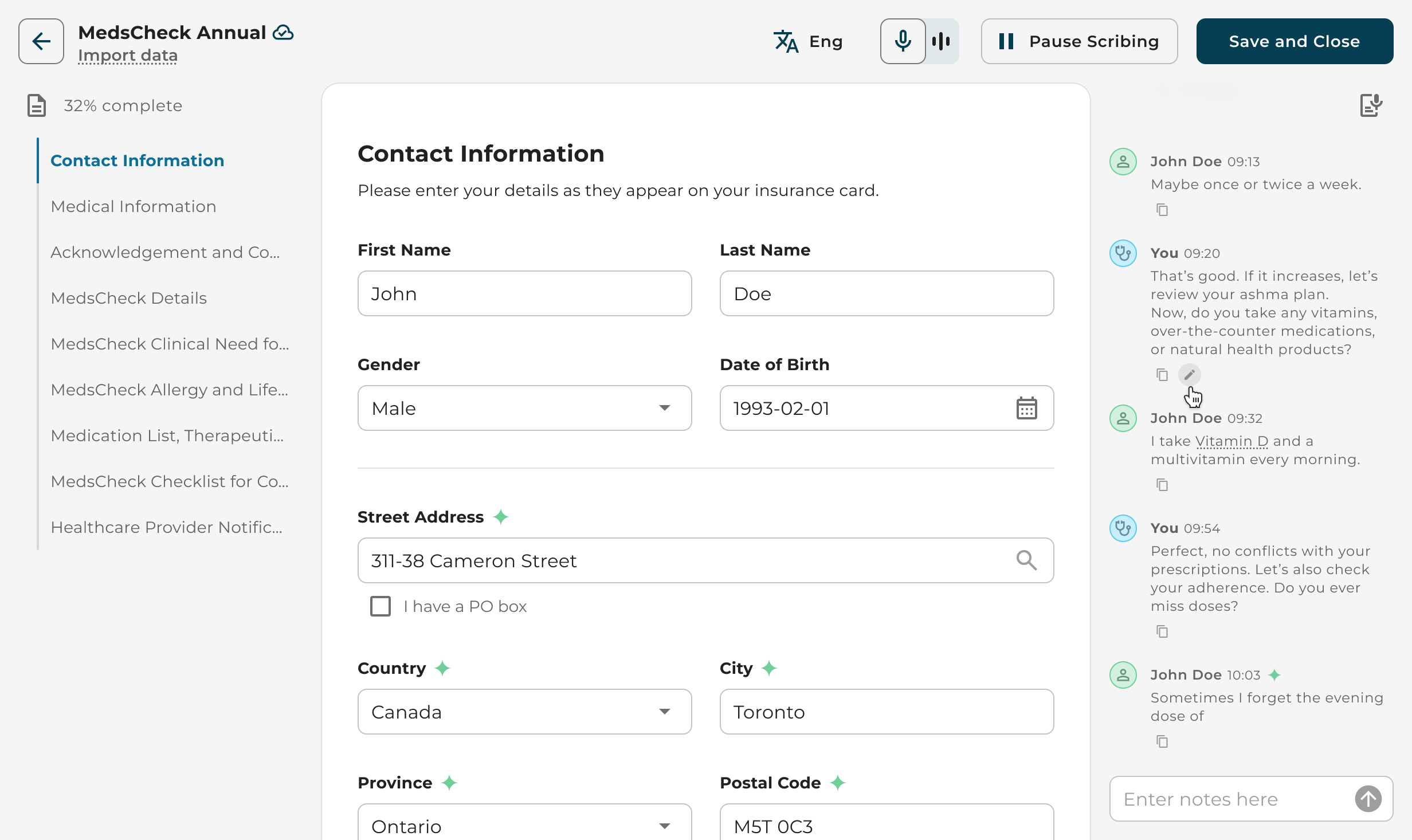
Hovering a transcript line shows the edit action 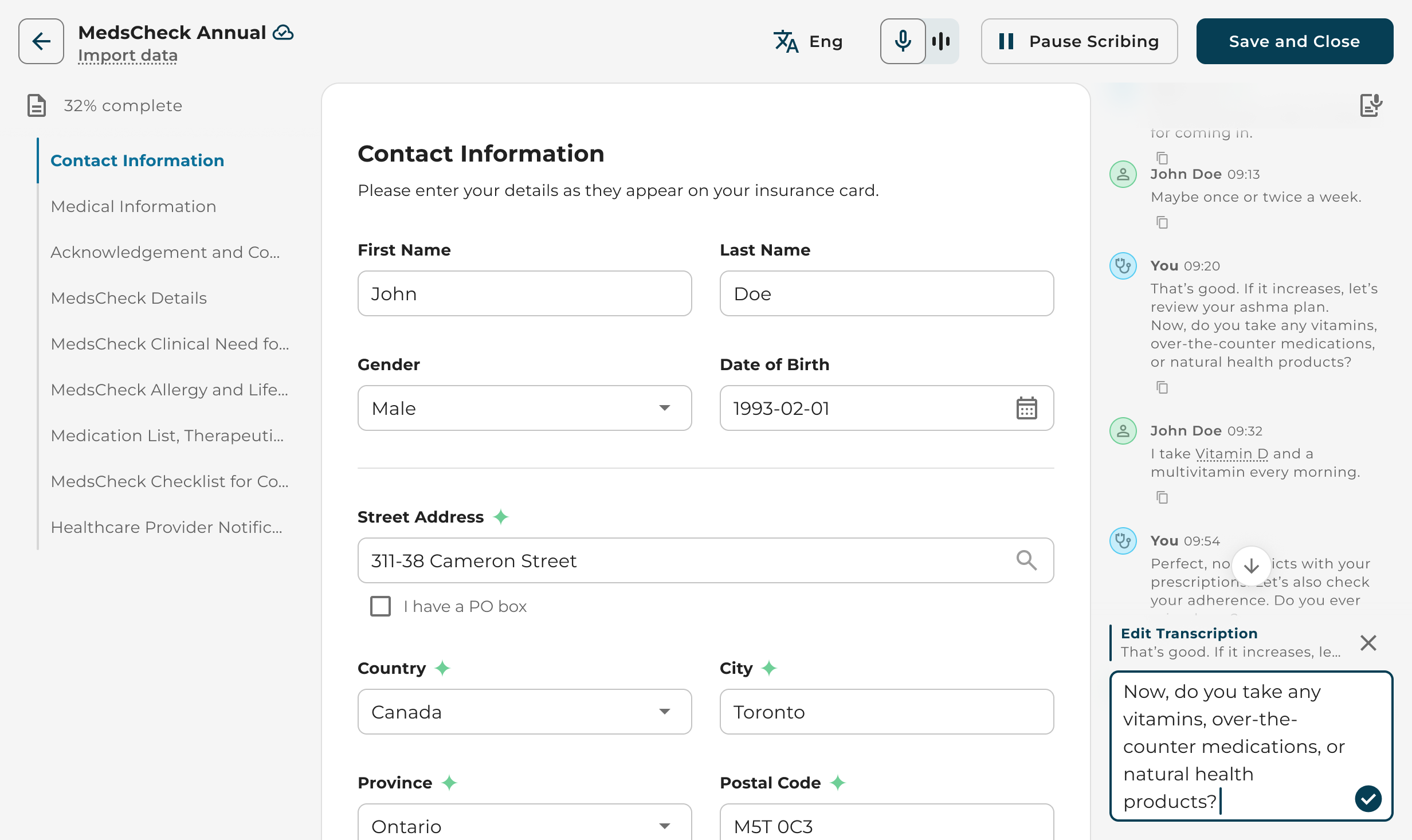
Editing what the scribe heard 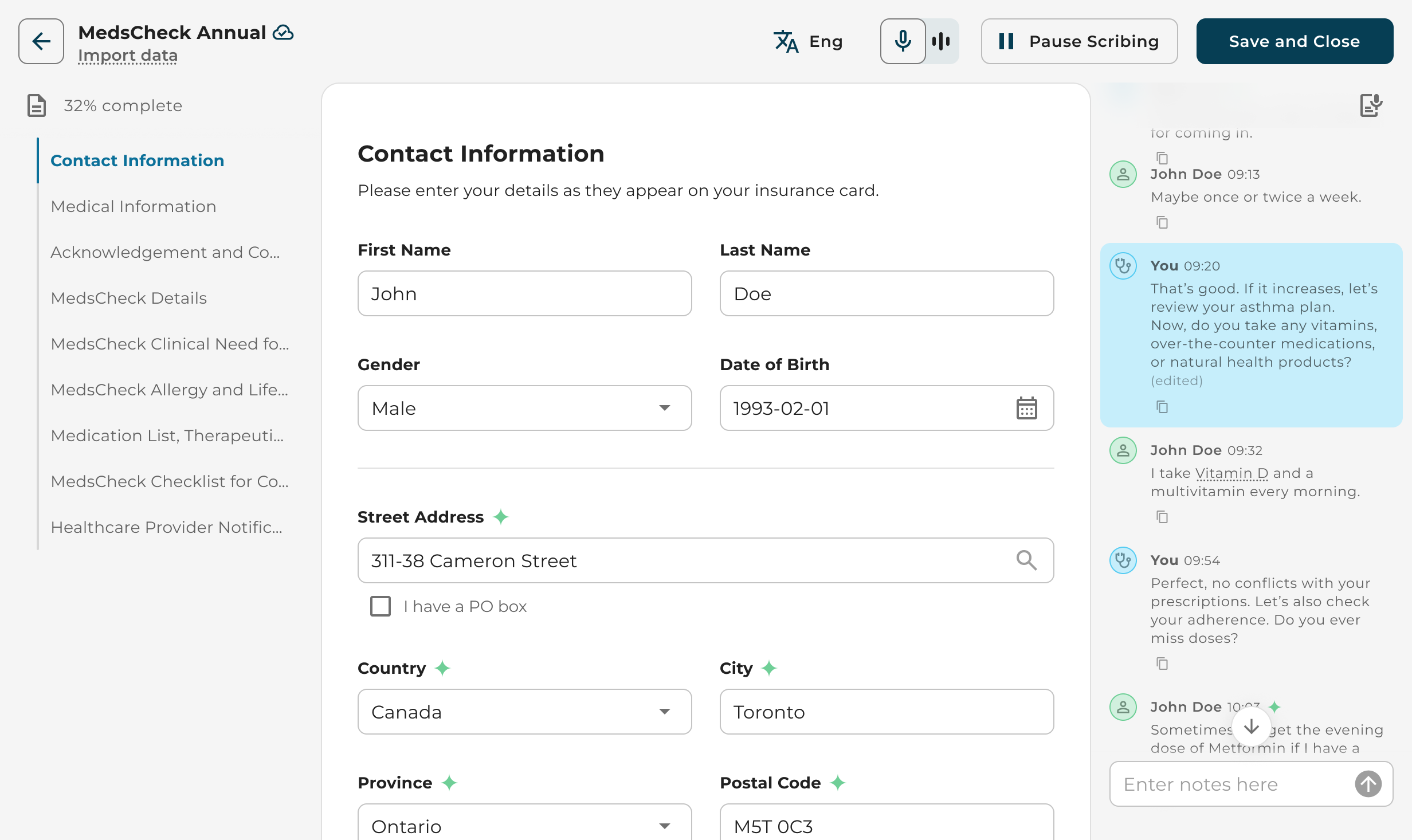
The corrected line and the fields it feeds 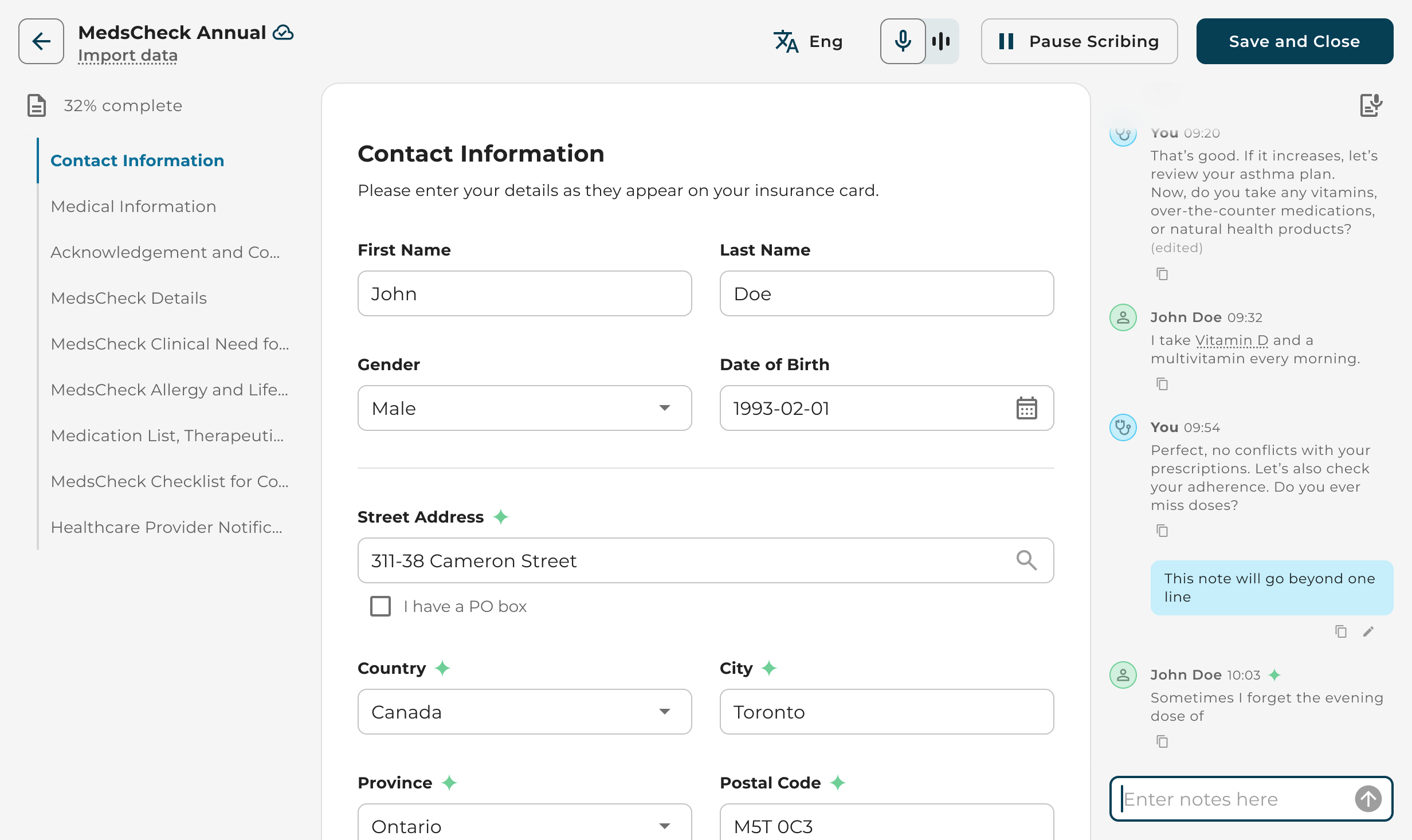
A typed note sits in the stream with the transcript
Bringing data in
Not everything is said out loud. Import data pulls the patient profile from Kroll, the pharmacy management system, through a short guided flow. Attachments accept a file, a photo, or content from another tab, and the scribe uses them to fill fields the same way it uses the conversation.
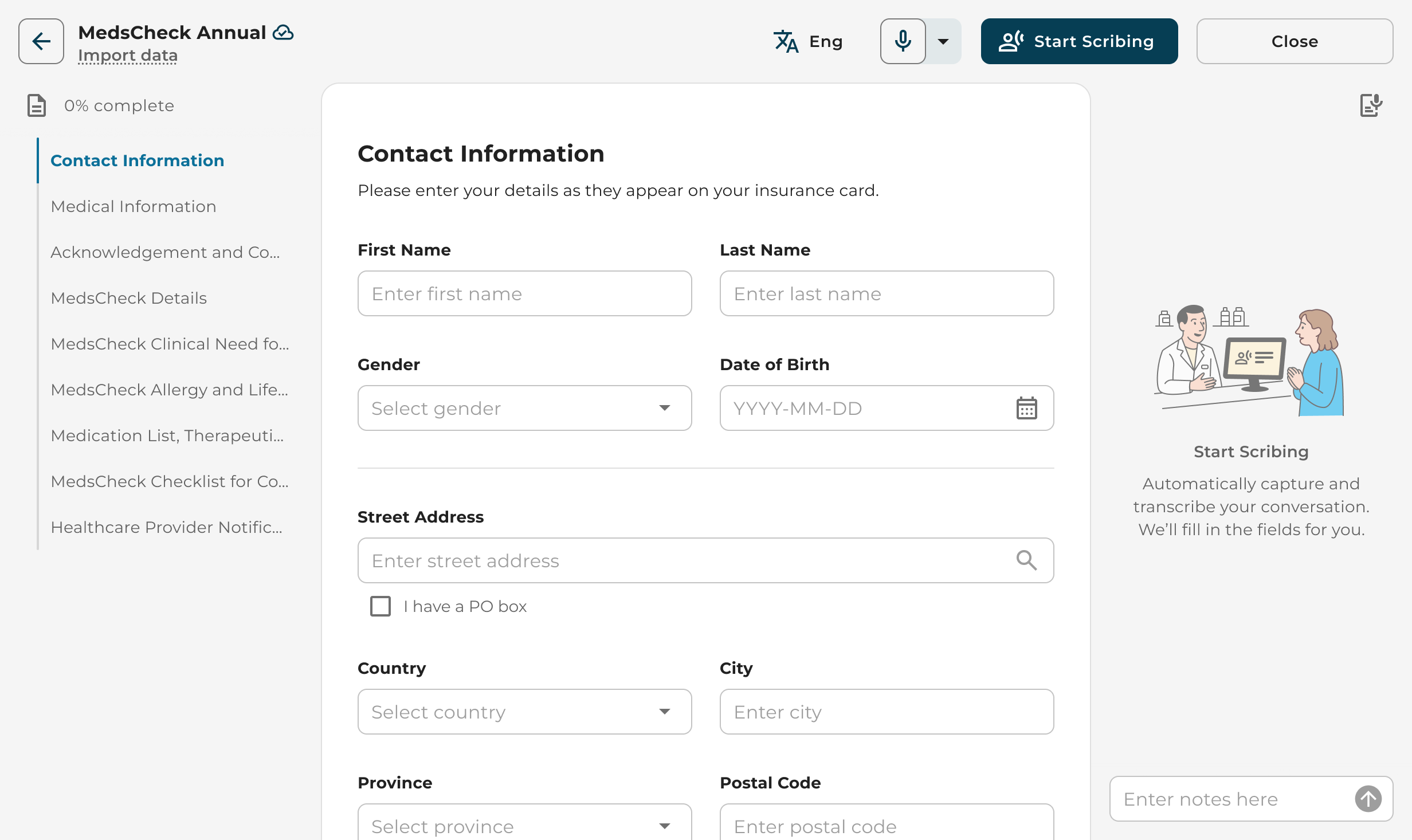
Import data sits under the form title 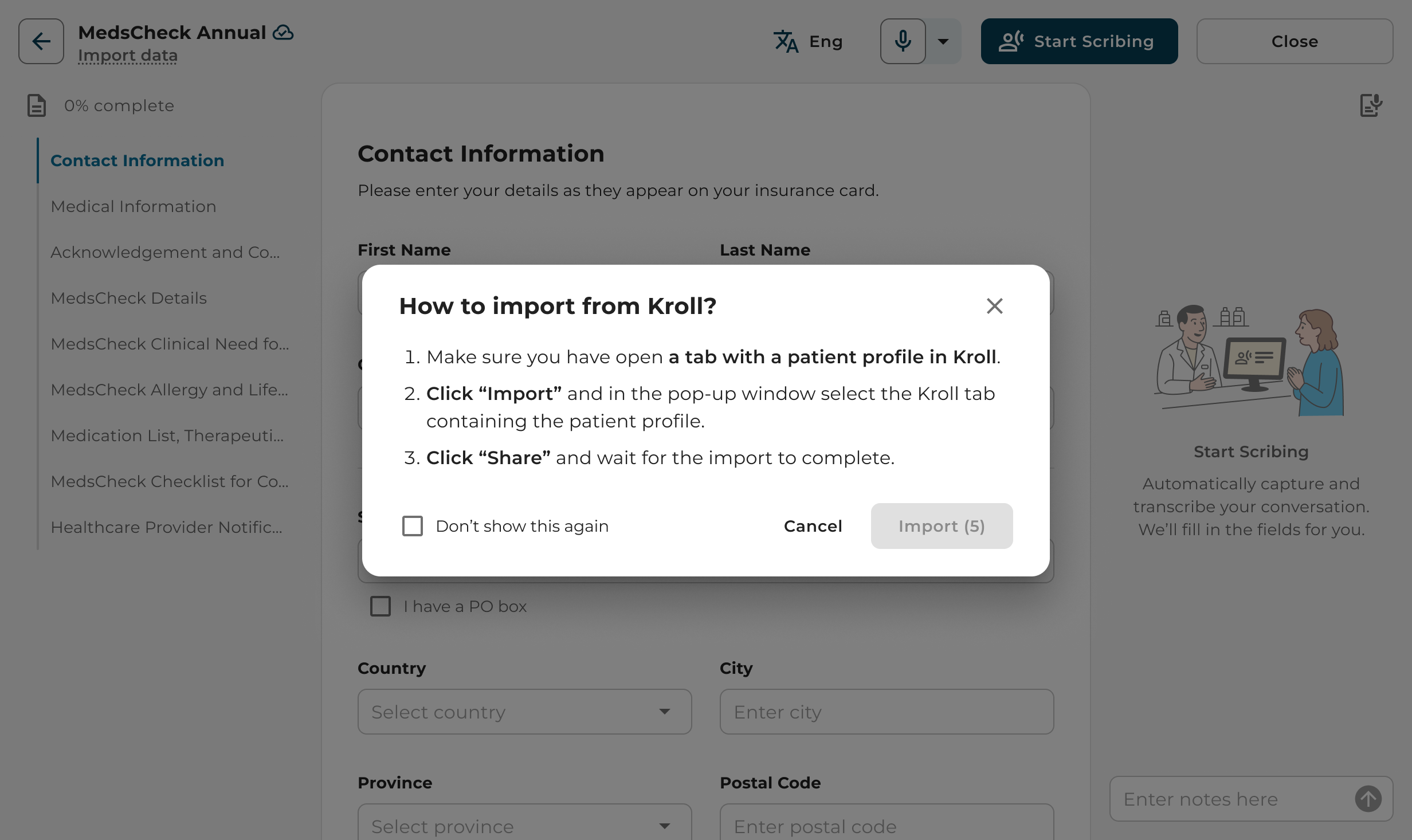
A three-step guide to importing from Kroll 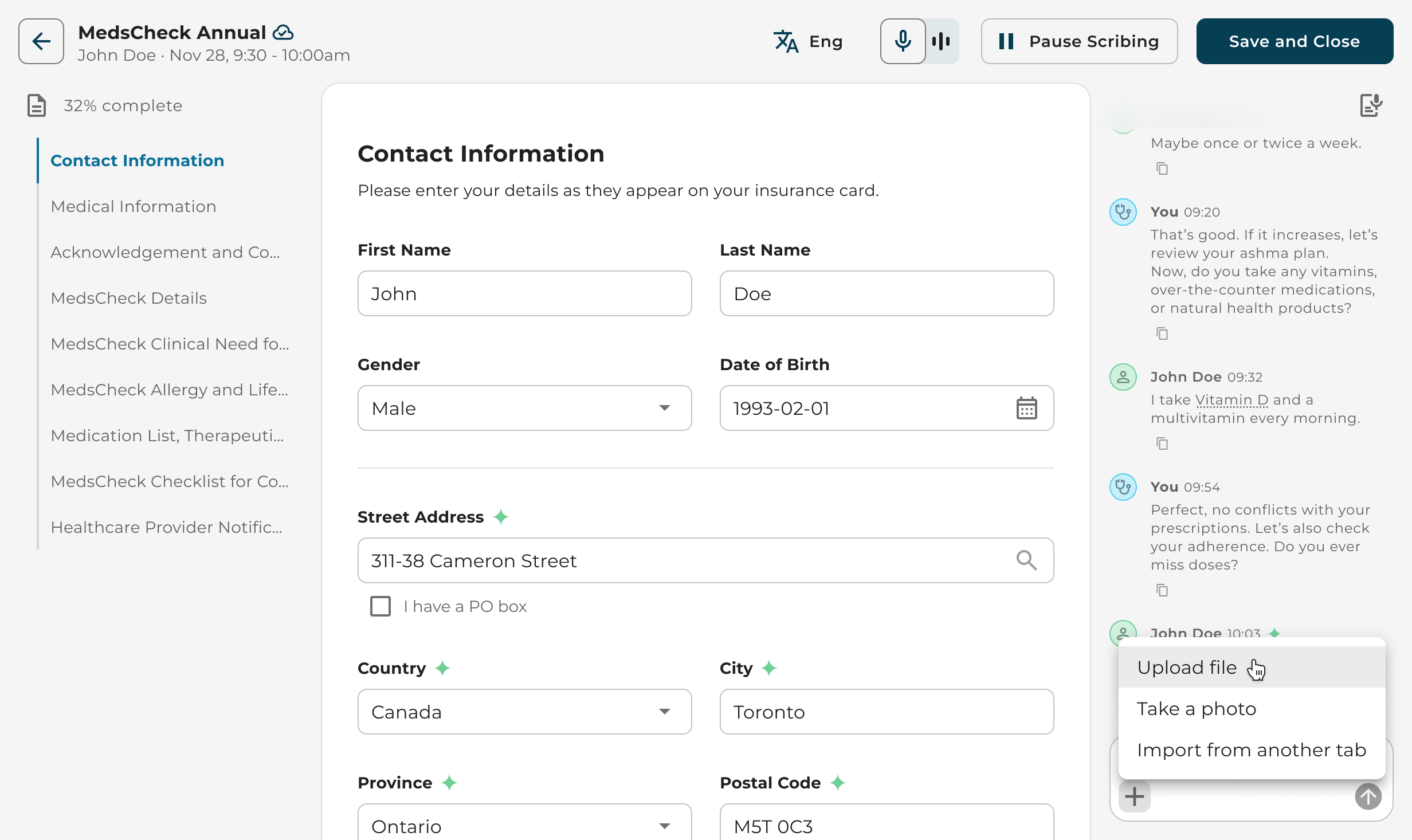
Attach a file, take a photo, or import from another tab
Conclusion
AI Scribe shipped in 2025 across the MedMe platform. The pattern that made it work is simple to state: give the form the screen, keep one control per job, and show the pharmacist what the AI heard next to what it wrote. The same layout now has room for the next requests: consent captured at booking, more languages, and microphone settings pharmacists already know from Zoom.